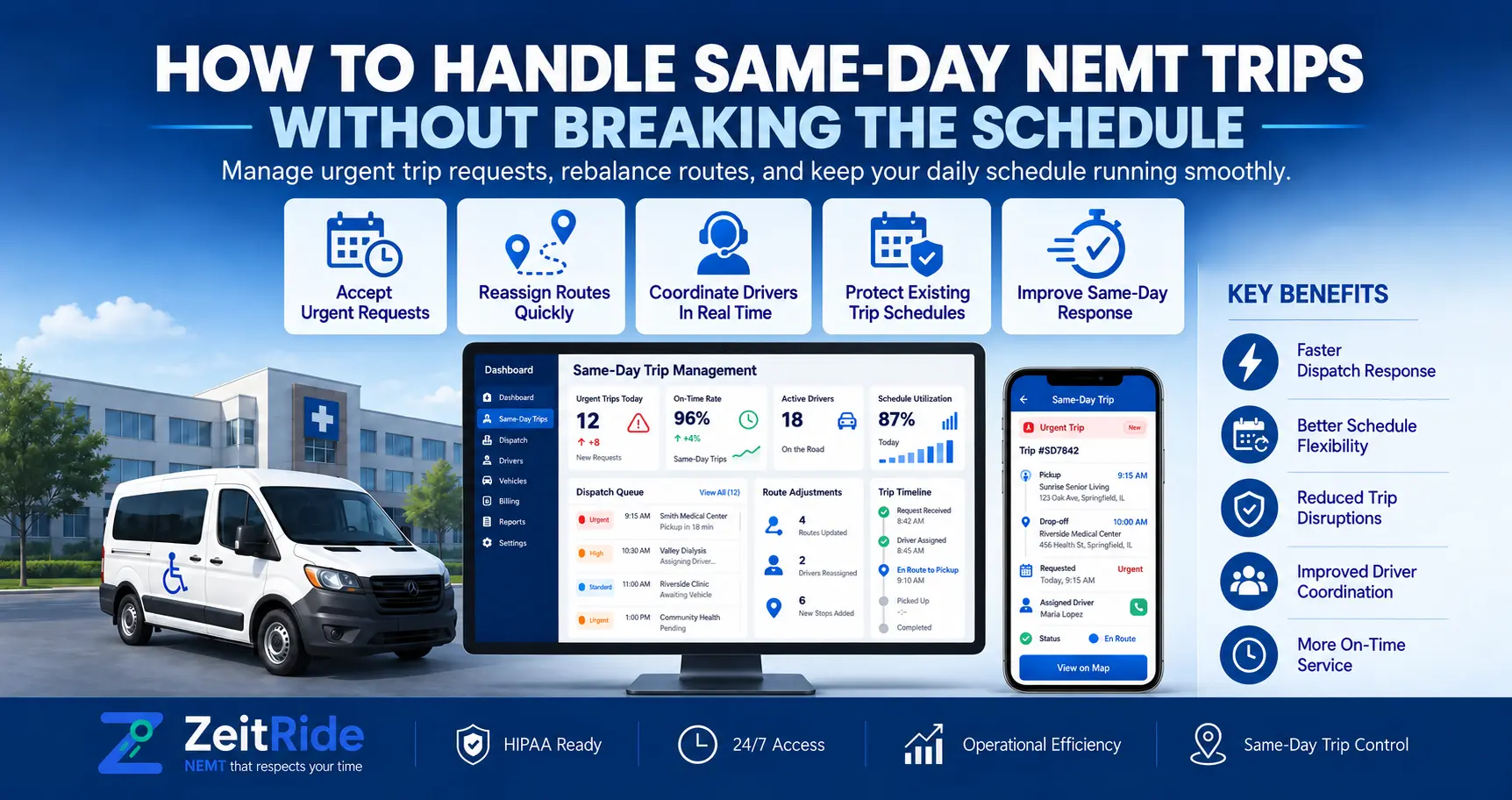
How to Handle Same-Day NEMT Trips Without Breaking the Schedule
Learn how to handle same-day NEMT trips without disrupting scheduled rides by checking vehicle fit, driver availability, route impact, and timing.
Quick answer
Handle a same-day NEMT trip by validating the request, matching the right vehicle and driver, checking downstream schedule impact, and then inserting, reassigning, delaying, or escalating the trip. Monitor affected rides until the schedule stabilizes.
ZeitRide Team
NEMT Operations Expert
A new trip request can arrive after every driver already has work, vehicles are spread across the service area, and several riders still have appointment or pickup windows to protect. That is where the real difficulty begins.
Learning how to handle same-day NEMT trips is not simply about creating one more trip record. Dispatch must decide whether the trip can be added without creating late pickups, driver conflicts, excessive repositioning, or a service-level mismatch elsewhere on the board.
A useful same-day process therefore asks two questions at the same time: Can we cover the new trip? And what happens to everything already scheduled if we do?
What Is Same-Day NEMT Trip Management?
Same-day NEMT trip management is the operational process of receiving a new transportation request after the schedule is already active, validating the request, finding a feasible driver and vehicle, checking its effect on existing trips, updating the plan, and monitoring the resulting schedule.
A same-day trip may come from a broker, facility, hospital discharge, member request, return ride, or another approved transportation source. Not every same-day request should automatically be treated as medically urgent because program, payer, and broker rules may distinguish routine, urgent, will-call, discharge, and other trip types differently.
For dispatch, the practical issue is still the same: determine what must happen, when it must happen, and whether the fleet can execute it safely and reliably.
Why Same-Day Trips Can Disrupt a Good Schedule
A schedule can look balanced at the beginning of the day and become unstable after one additional trip because the new request interacts with work already in progress.
- A driver may already be approaching another pickup
- The available vehicle may not match the rider's service level
- Wheelchair capacity may already be committed
- A return ride may be expected soon
- An existing rider may have a narrow appointment window
- The new trip may add excessive empty travel
- The assignment may extend a driver's shift
- Another trip may already be running late
- The closest vehicle may be poorly positioned for its next commitment
The closest vehicle on a map is therefore not automatically the best assignment. The better question is: which feasible resource can absorb the new trip with the least harmful effect on the rest of the operating day?
How Do You Add a Same-Day NEMT Trip Without Breaking the Schedule?
Use this seven-step same-day trip insertion check: Validate → Match → Locate → Simulate → Decide → Communicate → Monitor.
This creates a consistent urgent NEMT trip workflow without forcing dispatchers to make every decision from memory. The word urgent should still be applied according to the definitions used by the relevant broker, payer, or transportation program.
Step 1: Validate the New Trip Request
Before searching for a vehicle, make sure the trip itself is complete. For NEMT last-minute trip requests, missing or inaccurate information can make an apparently easy assignment impossible later.
- Rider or member identity
- Pickup address
- Destination
- Requested pickup time
- Appointment or arrival time
- Transportation level
- Wheelchair or mobility needs
- Escort or additional rider requirements
- Payer or broker information
- Authorization status where applicable
- Return-trip requirement
- Special instructions
A missing appointment time or incorrect mobility level can turn an apparently easy trip into an impossible assignment. The intake process should therefore be completed before dispatch starts moving existing work. If requests arrive through phone calls, facilities, brokers, and multiple channels, review NEMT booking software for the intake side of the workflow.
Step 2: Match the Required Vehicle and Driver
Once the request is valid, identify which resources are actually eligible. This is an important distinction in NEMT same-day dispatch because geographic proximity alone does not make a driver or vehicle suitable.
- Required vehicle type
- Seating or wheelchair capacity
- Driver qualifications
- Driver availability
- Driver shift time
- Current passenger load
- Equipment requirements
- Existing route commitments
A driver may be geographically close but still be unavailable because the vehicle is wrong, the driver is already carrying riders, or another time-sensitive pickup is next. For a deeper view of shifts, availability, and coverage, use the existing NEMT driver scheduling guide.
Step 3: Find the Feasible Vehicle, Not Just the Closest Vehicle
Proximity matters, but only after feasibility. Compare each candidate vehicle against the new pickup and everything already assigned to it.
| Vehicle | Distance to New Pickup | Next Commitment | Service Fit | Best Choice? |
|---|---|---|---|---|
| Van A | 3 miles | Dialysis pickup in 20 minutes | Correct | No |
| Van B | 6 miles | Open for 55 minutes | Correct | Yes |
| Van C | 2 miles | No immediate trip | Wrong vehicle type | No |
Van A is closer than Van B, but assigning the new request could jeopardize the dialysis pickup. Van C is closest of all, but it cannot meet the required transportation level. Van B is therefore the stronger operational choice even though it is not physically closest. This is the difference between nearest and feasible.
Step 4: Simulate the Downstream Schedule Impact
Before confirming the assignment, look beyond the new trip and ask what happens afterward.
- The driver's next pickup
- Required appointment arrival times
- Expected boarding time
- Destination location
- Return-trip obligations
- Likely traffic or travel time
- Deadhead after drop-off
- Remaining driver shift time
- Trips that may already be at risk
A same-day addition can appear workable when viewed alone while creating a conflict later in the route. That is why same-day dispatch should evaluate the route chain, not just the immediate pickup. For broader stop sequencing and unnecessary mileage, review NEMT route optimization.
Step 5: Decide Whether to Insert, Reassign, Delay, or Escalate
Not every same-day request needs the same response. The decision should reflect capacity, service requirements, downstream impact, and the rules that apply to the trip.
| Decision | When It Fits |
|---|---|
| Insert | One existing vehicle can absorb the trip without creating unacceptable downstream risk |
| Reassign | Moving another trip or changing the driver or vehicle creates a cleaner overall schedule |
| Delay within allowed window | The request permits timing flexibility and the adjusted time remains acceptable |
| Escalate or decline | No qualified resource can complete the request reliably within applicable requirements |
The goal is not to force every trip onto the board. The goal is to choose the response that protects both the new rider and transportation already committed. Any delay, escalation, or decline decision should follow the applicable broker, payer, program, and contract requirements.
Step 6: Push the Updated Plan to the Driver
A dispatch change only works if the driver receives the same updated plan. Otherwise, the operation can end up with two versions of the day: the dispatcher's version and the driver's version.
- Update the driver's trip list
- Update stop order where needed
- Confirm pickup and destination details
- Include rider and service instructions
- Remove obsolete assignments
- Make sure dispatch and the driver are viewing the same schedule
The driver's active route or manifest should reflect the same assignment dispatch just made. For the broader daily operating record, see the NEMT daily manifest.
Step 7: Monitor the Trips That Became At Risk
Same-day trip management does not end when the trip is assigned. Adding one stop may change expected arrival times for several other riders.
- The new pickup
- The driver's route progress
- The next scheduled pickup
- Appointment arrival times
- Return-trip readiness
- Delay accumulation
- Driver status updates
A trip can still be technically on time while the next one has already become operationally at risk. The existing NEMT on-time performance guide explains how to identify developing late-trip problems instead of waiting until a pickup window has already been missed.
Example: A Same-Day Wheelchair Trip Arrives at 10:15 AM
Assume dispatch receives a wheelchair request at 10:15 AM for an 11:00 AM pickup. Three wheelchair-capable vehicles are working.
Vehicle 1
Vehicle 1 is only four miles away, but it has a 10:50 pickup for a rider with a fixed appointment.
Vehicle 2
Vehicle 2 is seven miles away. Its next committed pickup is not until 12:00 PM, and the new trip's destination leaves the vehicle reasonably positioned for that work.
Vehicle 3
Vehicle 3 is five miles away but is already carrying a passenger whose drop-off is running behind schedule.
Looking only at distance might suggest Vehicle 1. Looking at the full schedule makes Vehicle 2 the safer option. This example shows why same-day NEMT trip management should use live schedule context rather than dispatcher memory or vehicle distance alone.
When Should an NEMT Provider Decline or Escalate a Same-Day Request?
A same-day request may need to be escalated or declined when the fleet does not have a feasible way to complete the trip while meeting applicable requirements and protecting existing riders.
- No qualified driver is available
- No compatible vehicle is available
- Every feasible assignment breaks another committed service window
- The request cannot be completed within applicable timing requirements
- Trip information or authorization remains incomplete
- Taking the trip would create an unacceptable service or safety risk
A disciplined decline or escalation can be better than accepting work the operation cannot reliably execute. Provider obligations vary by broker, state, contract, and program, so follow the rules that apply to the specific trip source.
What Should You Measure About Same-Day Trips?
Same-day requests create useful operational data. The goal is not simply to maximize the number accepted, but to understand how those additions affect the rest of the operation.
- Requests received
- Requests accepted
- Requests declined or escalated
- Reason for decline or escalation
- Time from request to assignment
- Assigned driver and vehicle
- Deadhead added
- Schedule changes required
- Reassignment count
- Downstream late trips
- Completed same-day trips
- Cancellations or no-shows
A high acceptance rate can hide poor decisions if the added work repeatedly makes scheduled riders late. The better question is whether the operation can absorb same-day work without destabilizing service quality.
How Software Supports Same-Day NEMT Trip Management
Same-day work becomes harder when dispatch must check multiple systems before making one decision. One screen may show trip requests, another may show driver availability, a separate map may show vehicles, and drivers may receive changes through phone calls or text messages.
ZeitRide's ad hoc trip scheduling keeps same-day additions connected to the working dispatch environment instead of treating them as an offline exception.
For broader live changes, NEMT dispatch software connects assignment, reassignment, trip progress, driver status, and route exceptions in one operational workflow. The purpose is not simply to add a trip faster; it is to give dispatch better context before and after the addition.
Same-Day NEMT Trip Management Checklist
- Validate rider and trip information
- Confirm pickup and destination
- Confirm requested and appointment times
- Verify required service level
- Check authorization where applicable
- Identify compatible vehicles
- Identify qualified drivers
- Check current passenger loads
- Review each candidate's next commitment
- Estimate travel and boarding time
- Check downstream route impact
- Review driver shift impact
- Decide whether to insert, reassign, delay, or escalate
- Push the updated plan to the driver
- Monitor affected trips afterward
A same-day trip should never be evaluated as an isolated point on the map.
Frequently Asked Questions
Q: What is a same-day NEMT trip?
A same-day NEMT trip is a transportation request made for service on the current operating day rather than through the normal advance scheduling process. Exact definitions, authorization rules, and response requirements vary by broker, payer, state, and transportation program.
Q: How should a dispatcher handle a same-day NEMT request?
Validate the trip, confirm service requirements, identify qualified drivers and compatible vehicles, check downstream schedule impact, select the safest feasible assignment, communicate the change, and monitor affected trips afterward.
Q: How do you add a same-day NEMT trip without delaying scheduled rides?
Evaluate the entire route before assigning the trip. Check the candidate driver's next commitments, required travel time, vehicle type, passenger load, appointment windows, and where the vehicle will be positioned after the added trip.
Q: Should the closest driver always take a same-day trip?
No. The closest driver may have an upcoming commitment, the wrong vehicle, insufficient capacity, or a route that makes the added trip impractical. Use the closest qualified and operationally feasible resource.
Q: Can NEMT software handle ad-hoc trips after routes are already running?
Yes. NEMT software can support same-day additions by connecting active schedules with vehicle location, driver availability, route timing, reassignment, and driver updates. Exact capabilities depend on the platform.
Protect the Schedule While You Add the Trip
The best answer to how to handle same-day NEMT trips is not simply to find the nearest available driver. Validate the request, match the right service level, identify feasible resources, and check what happens to every downstream commitment.
Then decide whether to insert, reassign, delay within allowed rules, or escalate the request. The new trip matters, but so does every rider already on the schedule.
ZeitRide connects same-day trip additions with scheduling, routing, live dispatch, vehicle location, reassignment, and driver updates so dispatch can manage changes from the same operating workflow. Bring one busy dispatch day and a real last-minute trip scenario to a 15-minute ZeitRide demo and see how your team could handle the change without rebuilding the entire day by hand.
Rather see it than read about it?
Bring a real route, a couple of drivers, and your current process. 15 minutes, zero pitch.