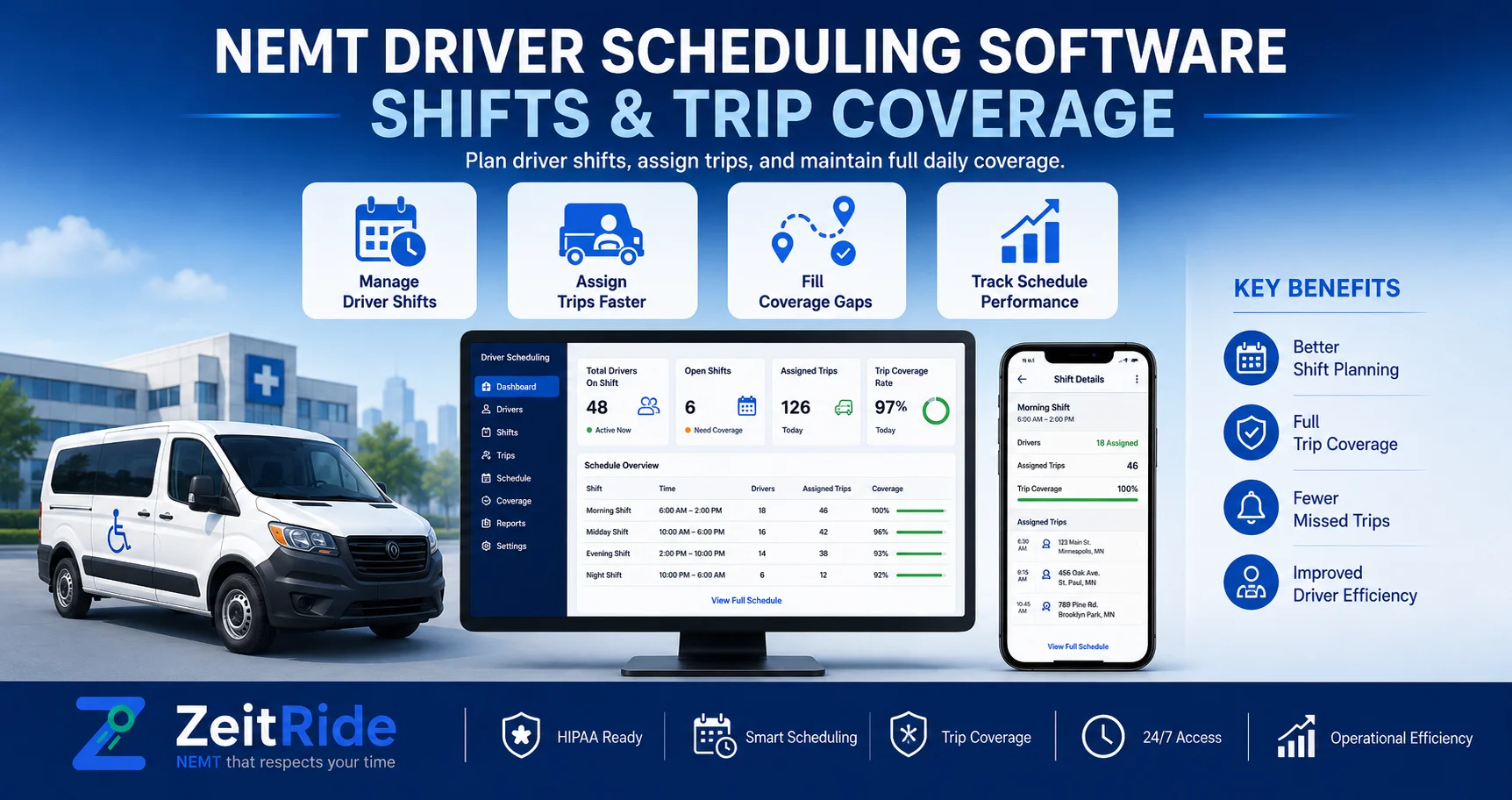
NEMT Driver Scheduling Software: Shifts & Trip Coverage
Learn how NEMT fleets manage driver shifts, availability, vehicle assignments, call-outs, and daily trip coverage with connected scheduling software.
Quick answer
NEMT driver scheduling software helps providers match available, qualified drivers with suitable vehicles and trips. It organizes shifts, availability, recurring assignments, call-outs, and live coverage so dispatchers can keep transportation running smoothly.
ZeitRide Team
NEMT Operations Expert
A trip is not truly covered just because it appears on a schedule. The right driver must also be available, qualified for the service, paired with a suitable vehicle, and able to complete the trip within the working day. NEMT driver scheduling software brings those pieces together so operators can build realistic coverage before the day starts and respond faster when plans change.
For growing fleets, driver scheduling should work alongside NEMT scheduling software, routing, and dispatch rather than living in a separate spreadsheet. Trip scheduling determines what transportation must happen. Driver scheduling determines who can actually perform that work.
What Is NEMT Driver Scheduling Software?
NEMT driver scheduling software helps non-emergency medical transportation providers organize driver shifts, availability, qualifications, assigned vehicles, recurring work, open trips, and schedule changes in one workflow.
Instead of manually comparing a trip sheet with a driver calendar, dispatchers can see whether the right driver and vehicle are available before making an assignment. This becomes especially useful when a fleet handles multiple service levels, standing orders, facility trips, call-outs, and same-day changes. Connecting scheduling with NEMT driver management software also helps operators keep driver availability and qualifications close to the assignment process.
Driver Scheduling vs. Trip Scheduling vs. Dispatch
These functions are closely connected, but each answers a different operational question.
| Function | Main Question | Example |
|---|---|---|
| Driver scheduling | Who can work? | Maria is available from 6 AM to 2 PM |
| Trip scheduling | What ride must happen? | Dialysis pickup is scheduled for 7 AM |
| Routing | In what order should trips run? | Group nearby pickups into a practical route |
| Dispatch | What needs to change now? | Reassign trips after a driver calls out |
A strong NEMT operation connects all four. A dispatcher should not have to make phone calls just to determine which driver is working, which vehicle is available, or who can accept an open trip. Once the operating day begins, NEMT dispatch software should be executing a schedule that already reflects realistic driver and vehicle coverage.
Why NEMT Driver Scheduling Is More Complex Than a Normal Shift Calendar
A normal staff schedule may only need to show who works which hours. NEMT scheduling has additional constraints because every shift must support transportation commitments with different pickup times, service levels, locations, equipment needs, and recurring patterns.
- Driver availability and time off
- Required driver qualifications or credentials
- Wheelchair, ambulatory, or other service requirements
- Vehicle type and passenger capacity
- Recurring dialysis, therapy, or facility trips
- Will-call returns and uncertain appointment times
- Same-day additions and cancellations
- Driver call-outs and temporary replacements
- Shift length and actual working hours
That is why NEMT driver availability should not be treated as a simple yes-or-no field. A driver may technically be working but still be unavailable for a specific trip because of location, vehicle type, qualifications, or existing assignments.
How to Schedule NEMT Drivers
The best way to answer how to schedule NEMT drivers is to build the workforce plan around transportation demand instead of assigning every trip first and fixing staffing problems later.
1. Start With the Work That Must Be Covered
Review recurring trips, standing facility routes, scheduled appointments, wheelchair transportation, and other time-sensitive work. Place the most constrained trips first because they leave less room for reassignment.
2. Set Driver Shifts and Availability
Build the weekly or daily driver roster with start times, end times, days off, PTO, and temporary schedule changes. This creates the foundation for effective NEMT driver shift scheduling.
3. Check Driver and Vehicle Fit
Before assigning work, confirm that the driver can perform the required service and that a suitable vehicle is available. Driver and vehicle availability should be considered together rather than as separate resources. For qualification and compliance planning, operators can also review the NEMT driver requirements guide.
4. Assign Recurring Work First
Standing dialysis, therapy, facility, and repeat routes should create the backbone of the schedule. Once predictable work is covered, remaining capacity can be filled with one-time or more flexible trips.
5. Leave Room for the Unexpected
A schedule that fills every driver to theoretical capacity can quickly fail when appointments run late, a will-call becomes ready, a broker adds a trip, or a driver calls out. Practical schedules preserve some flexibility for real-world operations.
6. Send the Schedule to Drivers
Drivers should not depend on printed manifests or repeated calls from dispatch. A connected NEMT driver app can keep assigned trips, stop details, status changes, navigation, and field updates aligned with the office schedule.
How to Handle Driver Call-Outs and Schedule Changes
Good NEMT driver shift management assumes the schedule will sometimes change. The goal is not to eliminate every exception. The goal is to identify affected trips quickly and move them without creating a second coverage problem.
When a driver calls out, dispatch should identify the trips assigned to that shift, prioritize time-sensitive work, check available replacement drivers, confirm qualifications and vehicle fit, and then reassign only the work that can realistically be absorbed.
Temporary changes should also remain separate from the standing schedule whenever possible. A short-term vacation or sick day should not force the dispatcher to rebuild recurring assignments permanently. This is where connected scheduling provides a major advantage over spreadsheets: the dispatcher can work from the live operating plan instead of editing multiple files and hoping every version stays synchronized.
Spreadsheet vs. NEMT Driver Scheduling Software
| Requirement | Spreadsheet | Connected Scheduling Software |
|---|---|---|
| Driver shifts | Manual entry | Centralized |
| Availability | Manually checked | Connected to driver records |
| Qualifications | Often stored elsewhere | Available during assignment |
| Vehicle assignment | Separate tracking | Connected with the schedule |
| Recurring work | Copied manually | Repeatable workflow |
| Call-outs | Manual edits | Faster reassignment |
| Driver updates | Calls or texts | Driver app workflow |
| Live coverage | Hard to visualize | Visible with active operations |
A spreadsheet can work for a very small operation with limited complexity. The problem starts when dispatchers need several files, phone calls, and manual checks just to determine whether today's trips are actually covered. The trigger for switching systems is therefore not simply fleet size. It is operational complexity.
What to Look for in NEMT Driver Scheduling Software
- Weekly and daily driver shift scheduling
- Driver availability and time-off visibility
- Qualification and credential tracking
- Driver-to-vehicle assignments
- Recurring schedule support
- Temporary schedule changes
- Unassigned-trip visibility
- Same-day reassignment
- Driver mobile app synchronization
- Driver-hour tracking
- Connection with dispatch and trip scheduling
The strongest platform is not necessarily the one with the most features. It is the one that reduces the number of separate systems your team must check before making an assignment.
How ZeitRide Connects Driver Scheduling With Daily Operations
ZeitRide connects driver information with scheduling, vehicles, dispatch, and field activity rather than treating the driver roster as an isolated calendar. Dispatchers can work from the same operational environment used to manage trips and vehicles, while drivers receive their assigned work through the mobile app.
This makes it easier to identify available resources, handle open trips, and keep office and field teams working from the same schedule. The practical workflow becomes: driver shift → availability → vehicle → assigned trips → live dispatch → driver updates.
That connected structure matters because the real scheduling question is not simply, "Who works tomorrow?" It is: "Which available driver and suitable vehicle can cover tomorrow's transportation, and what happens if the plan changes?"
When Should You Replace a Manual Driver Schedule?
You may have outgrown spreadsheets when dispatch regularly has to call drivers to confirm availability, check qualifications in another system, manually rebuild assignments after call-outs, or compare several documents to find uncovered trips.
Another sign is when your driver schedule and trip schedule regularly disagree. At that point, the problem is not the spreadsheet itself. The problem is that drivers, vehicles, trips, and live changes no longer share one reliable source of truth. For fleets already measuring operational performance, the existing NEMT KPI guide can help connect scheduling decisions with broader fleet results.
Simplify NEMT Driver Scheduling With ZeitRide
Driver scheduling works best when shifts, vehicles, trips, and live dispatch are connected. Instead of building a separate employee calendar and then trying to make the trip schedule fit around it, ZeitRide helps operators manage the transportation workflow from one system.
Bring your driver roster and a typical operating day to a demo. See how your current shifts, vehicles, and trips could be organized inside ZeitRide.
Ready to simplify driver scheduling and daily trip coverage? View ZeitRide pricing and request a demo.
Frequently Asked Questions
Q: What is NEMT driver scheduling software?
NEMT driver scheduling software helps transportation providers manage driver shifts, availability, qualifications, vehicle assignments, trip coverage, and schedule changes in one connected workflow.
Q: What is the difference between driver scheduling and trip scheduling?
Trip scheduling determines what transportation needs to happen, while driver scheduling determines which available and qualified driver and suitable vehicle can actually perform that transportation.
Q: How do NEMT companies schedule drivers for recurring trips?
Operators typically schedule recurring and time-sensitive transportation first, assign qualified drivers and suitable vehicles, then use remaining shift capacity for more flexible trips.
Q: How should an NEMT company handle a driver call-out?
Identify affected trips, prioritize time-sensitive transportation, find an available qualified replacement, confirm vehicle availability, reassign feasible work, and review the schedule again for uncovered trips.
Q: Can NEMT scheduling software track driver availability?
Yes. Connected NEMT software can combine driver availability with qualifications, vehicle assignments, scheduled work, and live dispatch information.
Q: When should a fleet stop using spreadsheets for driver scheduling?
A fleet should consider dedicated software when manual schedules require repeated calls, multiple spreadsheets, separate qualification checks, or extensive rework whenever a driver, vehicle, or trip changes.
Rather see it than read about it?
Bring a real route, a couple of drivers, and your current process. 15 minutes, zero pitch.