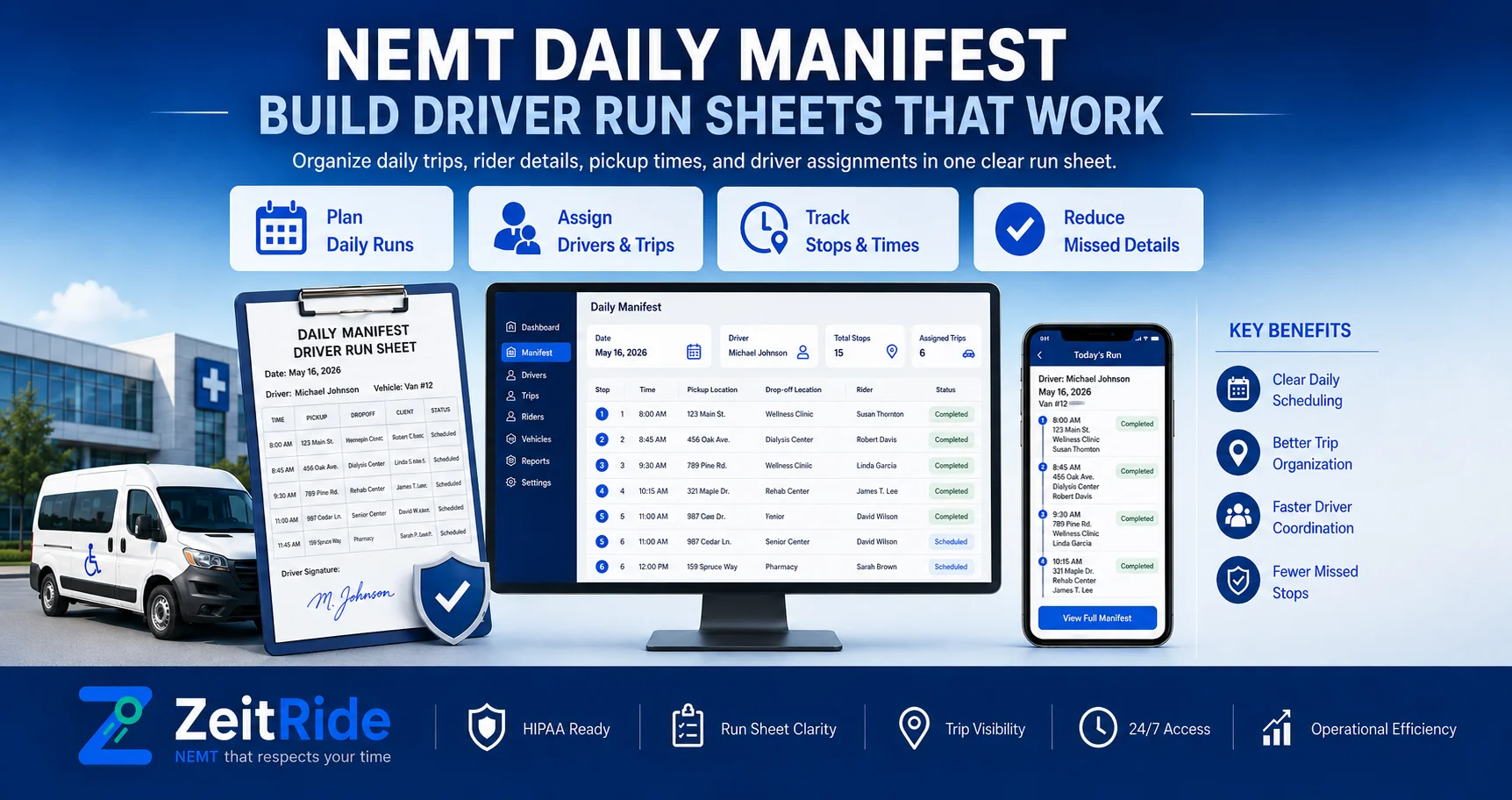
NEMT Daily Manifest: Build Driver Run Sheets That Work
Learn how to build an NEMT daily manifest, assign drivers and vehicles, check trip coverage, manage will-calls, and keep run sheets current.
Quick answer
An NEMT daily manifest is the driver- and vehicle-specific operating plan for the service day. It lists assigned trips, timing, locations, service needs, returns, and stop order, then stays aligned with dispatch as cancellations, will-calls, and reassignments change the plan.
ZeitRide Team
NEMT Operations Expert
A full trip schedule is not yet a workable driver plan. Before the first vehicle leaves, every confirmed trip needs the right driver, suitable vehicle, realistic stop sequence, return status, and service information. The NEMT daily manifest turns those scheduled trips into the operating plan drivers and dispatchers use throughout the day.
For growing fleets, that manifest should come from the same source as NEMT scheduling software rather than being rebuilt in a spreadsheet every morning. The schedule tells you what transportation has been booked. The manifest tells each driver what work they are expected to execute.
What Is an NEMT Daily Manifest?
An NEMT daily manifest is an organized list of trips assigned to a driver, vehicle, route, or shift for a specific service day. It typically includes pickup and destination information, timing, return arrangements, service or mobility requirements, driver and vehicle assignments, and trip status.
A useful manifest is not simply a printable report. It should represent the current operating plan. If dispatch cancels a trip, adds a hospital discharge, changes a driver, or moves a will-call return, the active manifest should reflect that change.
Manifest vs. Route Sheet vs. Trip Log
These records are related, but they serve different purposes. Keeping them distinct also prevents staff from using the wrong document for planning, field execution, or completed-trip documentation.
| Record | Main Purpose | When It Is Used |
|---|---|---|
| Daily manifest | Shows planned and active trips by driver or vehicle | Before and during service |
| Route sheet | Shows the sequenced stops a driver should follow | During the driver's route |
| Trip log | Records what actually happened on completed trips | During and after service |
A manifest may begin as a plan, while the NEMT trip log captures actual service details such as completed times, mileage, signatures, and exceptions. The two should connect, but they should not be treated as the same record.
What Should an NEMT Manifest Include?
When operators ask what should an NEMT manifest include, the answer is the information needed to execute the transportation safely and accurately without turning the driver's view into an unnecessary copy of the passenger's medical record.
| Field | What It Helps the Team Confirm |
|---|---|
| Trip ID or broker reference | Which transportation request is being performed |
| Pickup location | Where the rider must be collected |
| Destination | Where the rider is going |
| Pickup window | When the driver should arrive |
| Appointment time | The deadline the route must respect |
| Return type | Scheduled return, will-call, one-way, or recurring |
| Service level | Ambulatory, wheelchair, stretcher, or other approved mode |
| Mobility or equipment notes | Vehicle or assistance requirements |
| Driver | Who is responsible for the trip |
| Vehicle | Which unit is assigned |
| Stop sequence | Where the trip sits within the driver's run |
| Status | Assigned, en route, arrived, completed, canceled, or other operational state |
Only include information the transportation team actually needs for the workflow. Where privacy rules apply, operators should follow the minimum-necessary principle and avoid exposing unnecessary protected health information on driver-facing manifests.
How to Build an NEMT Manifest
The strongest answer to how to build an NEMT manifest is to treat it as a controlled workflow rather than a last-minute print job.
1. Collect All Confirmed Trips
Start with the complete service-day roster: broker trips, recurring transportation, facility requests, private-pay bookings, scheduled returns, and other confirmed work.
Keep unconfirmed or incomplete requests separate until the missing information is resolved. A manifest built from uncertain trip data only pushes the problem downstream to dispatch.
2. Validate Each Trip Before Assignment
Confirm pickup and destination addresses, pickup windows, appointment times, service level, mobility needs, and return arrangement.
Pay particular attention to will-calls. A return with no fixed pickup time still needs to remain visible so it does not disappear after the outbound leg is completed.
3. Group and Sequence Compatible Trips
Trips should be grouped using more than geographic distance. Consider appointment deadlines, pickup windows, vehicle capacity, service level, expected travel time, and the effect one stop can have on the rest of the run.
Connected NEMT routing software can help turn the trip roster into a more practical stop sequence instead of forcing dispatchers to rebuild routes manually.
4. Assign the Right Driver and Vehicle
Check driver availability, required qualifications, vehicle capacity, wheelchair or equipment requirements, and existing workload before releasing the trip.
A manifest is not ready merely because every row contains a driver's name. Each assignment must also be operationally feasible.
5. Run QA Before Publishing
Before drivers receive the NEMT driver manifest, check the entire plan for timing conflicts, uncovered trips, incompatible vehicles, missing returns, and impossible travel sequences.
Then publish the current version to drivers. With a connected NEMT driver app, the field team can receive assignments, navigation, trip details, and status changes without relying on a paper sheet that may already be outdated.
NEMT Manifest Checklist Before the First Pickup
Use this NEMT manifest checklist before releasing the day's work:
- Every confirmed trip appears on the manifest
- Every fixed return trip is included
- Will-call returns remain visible as open work
- Pickup windows and appointment times are complete
- No driver has impossible overlapping assignments
- Drive time between stops is realistic
- Mobility requirements match the assigned vehicle
- Driver qualifications fit the assigned service
- Every trip has a driver and vehicle where required
- Cancellations and late broker changes are reflected
- Drivers receive the latest version of their work
- Any unresolved trip is clearly visible to dispatch
This manifest-specific QA should work alongside a broader NEMT dispatch checklist covering live operations, handoffs, exceptions, and end-of-day closeout.
What Happens When the Manifest Changes Mid-Day?
A daily NEMT manifest rarely stays unchanged. Riders cancel, appointments run late, drivers call out, vehicles break down, brokers add trips, and will-call passengers become ready at unpredictable times.
When the plan changes, dispatch should update the operational record first and then push the revised assignment to the affected driver.
- Identify the trip or resource affected
- Check which other trips depend on that driver or vehicle
- Find a feasible replacement
- Reassign the work
- Update stop order if necessary
- Notify the driver
- Preserve the change in operational history
This is where NEMT dispatch software becomes more useful than a static manifest. The dispatcher can change the live plan while the driver's view stays aligned instead of calling several drivers and manually correcting multiple copies.
Paper Manifest vs. Real-Time Electronic Manifest
| Capability | Paper Manifest | Real-Time Electronic Manifest |
|---|---|---|
| Same-day changes | Reprint or call driver | Update electronically |
| Driver delivery | Physical handoff | Mobile app |
| Stop sequence | Static | Can reflect revised assignments |
| Will-call changes | Manual communication | Can remain visible in live workflow |
| Change history | Limited | Changes can be recorded |
| Completed-trip data | Often re-entered | Can remain connected to trip record |
Paper is not automatically unusable for every small fleet. The operational problem appears when several schedule changes happen each day and staff spend more time distributing corrected versions than managing transportation.
What Happens to the Manifest After the Trip?
The manifest begins as planned work, but completed trips should become reliable operational records.
Scheduled pickup times become actual arrival and pickup times. Planned drivers and vehicles become the resources that actually performed the service. Mileage, signatures, status changes, no-shows, cancellations, and exceptions may also become part of the completed record where applicable.
That information can then support billing, reconciliation, reporting, and later review. ZeitRide's NEMT documentation requirements guide explains the wider record chain from authorization through completed service and billing.
How ZeitRide Handles Daily NEMT Manifests
ZeitRide generates route sheets and manifests from the same live data used for scheduling and dispatch instead of asking staff to rebuild driver sheets separately.
Driver assignments, trip sequences, mobility and equipment information, and active trip changes stay connected with the operating workflow. When dispatch reassigns or adds a trip, the driver view can update without printing another route sheet.
Completed manifest trips also remain connected to downstream trip records rather than forcing billing staff to re-enter the entire service day. Operators who want to see the product workflow in more detail can review ZeitRide's NEMT route sheets and manifests.
When Should You Stop Building Manifests Manually?
A manual manifest may still work when trip volume is small and daily changes are limited. It becomes a bottleneck when:
- Several staff members edit different versions
- Trips are repeatedly copied from broker portals
- Drivers receive stale route sheets
- Dispatch must call drivers after every change
- Unassigned trips are difficult to spot
- Will-call returns get lost between outbound and return service
- Vehicle or mobility conflicts are discovered after publishing
- Billing has to reconstruct the day from paper and text messages
At that point, the issue is not the form itself. The problem is that the manifest is disconnected from the system actually running the day.
Build the Manifest From the Same System Running the Day
A strong NEMT daily manifest should not become outdated the moment a dispatcher makes the first change.
ZeitRide connects scheduling, routing, dispatch, driver assignments, mobile trip views, and completed records so the operating plan can stay aligned from the first pickup through closeout.
Bring tomorrow's trip list to a demo and see how ZeitRide turns scheduled trips into live driver manifests without rebuilding run sheets by hand.
Ready to replace manually rebuilt run sheets with a connected daily workflow? See ZeitRide route sheets and manifests.
Frequently Asked Questions
Q: What is an NEMT daily manifest?
An NEMT daily manifest is the driver- or vehicle-specific operating plan for a service day. It lists assigned trips, locations, timing, service requirements, return arrangements, and other information needed to perform scheduled transportation.
Q: What should an NEMT manifest include?
An NEMT manifest should include trip identification, pickup and destination information, timing, return type, service level, mobility requirements, driver and vehicle assignments, stop sequence, and current trip status.
Q: What is the difference between an NEMT manifest and a route sheet?
A manifest identifies the trips assigned for the day, while a route sheet emphasizes the sequenced stops a specific driver follows. In connected software, both can be generated from the same live schedule.
Q: What is the difference between an NEMT manifest and a trip log?
A manifest primarily represents planned or active work, while a trip log records what actually occurred, including actual times, mileage, signatures, exceptions, and other completed-service details.
Q: How should will-call returns appear on an NEMT manifest?
Will-call returns should remain visible as open transportation after the outbound leg is complete. Once the rider or facility confirms readiness, dispatch can assign a driver, vehicle, and estimated pickup time.
Q: Can NEMT drivers use electronic manifests instead of paper?
Yes, where the provider's workflow and applicable requirements permit it. Electronic manifests can keep drivers aligned with current assignments and make same-day updates easier than reprinting static route sheets.
Rather see it than read about it?
Bring a real route, a couple of drivers, and your current process. 15 minutes, zero pitch.