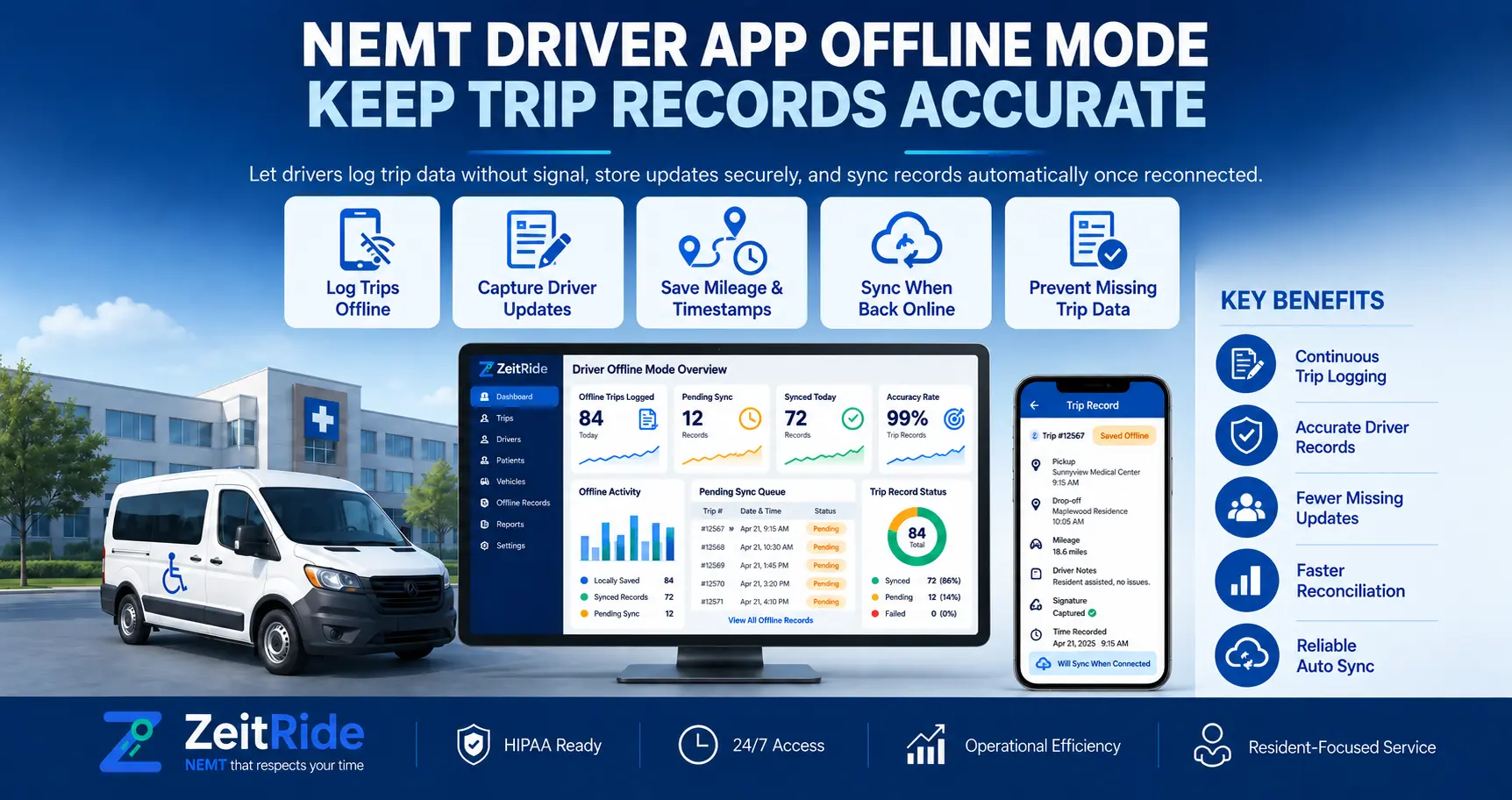
NEMT Driver App Offline Mode: Keep Trip Records Accurate
What happens when an NEMT driver loses cell service? Learn how to manage offline trips and verify GPS, status updates, and records after reconnecting.
Quick answer
An offline-capable NEMT driver app keeps supported trip information available and can save certain trip actions during a cellular outage. After reconnecting, updates synchronize with dispatch. Verify actual event times, GPS evidence, and required documentation before billing.
ZeitRide Team
NEMT Operations Expert
A driver completes a pickup at a medical facility, but dispatch still shows the trip as pending. The vehicle's last reported location is outdated, and the driver has entered an area with poor cellular coverage. Did the driver miss the status update, or has the information simply not reached the office? This is where NEMT driver app offline mode matters. An offline-capable app allows drivers to access supported trip information and record certain actions without an active internet connection. Once coverage returns, saved updates can synchronize with dispatch. However, synchronization alone does not guarantee that every record is complete. This guide explains how NEMT teams can manage temporary connectivity loss, troubleshoot missing updates, and verify trip records before billing.
How Does NEMT Driver App Offline Mode Work?
NEMT driver app offline mode allows supported trip information to remain available on a driver's device during a cellular outage. Depending on the platform, this may include previously loaded stops, route information, GPS observations, and locally saved pickup or drop-off actions. When internet access returns, supported records can synchronize with the central dispatch system. The ZeitRide Driver app supports offline GPS, downloaded stop information, and trip-status updates that synchronize after coverage returns. One distinction is essential: recording a trip event on the phone and confirming that dispatch received it are separate steps.
What Happens When a Driver Loses Cell Service?
GPS positioning and cellular internet are different technologies. A phone may continue determining its location through satellite signals when mobile data is unavailable. However, sending location updates to the office requires a working connection. Likewise, a previously downloaded route may remain accessible even when the phone cannot receive new trip assignments. For an NEMT driver app without cell service, the available functions depend on what the software has already downloaded and which actions it supports offline. The table below shows the operational differences.
| Function | With Internet | Without Internet |
|---|---|---|
| GPS positioning | Can capture and transmit location | May continue capturing location |
| Previously loaded trips | Available | May remain accessible |
| Pickup/drop-off updates | Sent to dispatch | Supported actions may be saved locally |
| New assignments | Can arrive immediately | May require reconnection |
| Dispatch map | Receives reporting positions | May display stale information |
| Signatures and forms | Supported normally | Offline behavior depends on the app |
A stale location marker does not necessarily mean the vehicle stopped moving. For a broader explanation of location monitoring, see the NEMT GPS tracking guide.
Before the Route: Prepare for Connectivity Gaps
A short pre-trip check can prevent confusion when a driver enters an area with poor reception. Before departure, the driver and dispatcher should confirm that the assigned trips and necessary information are available.
- Load assignments: Open the app while connected and verify the day's stops.
- Check trip details: Confirm pickup addresses, appointment times, and mobility requirements.
- Enable location access: Verify the permissions required by the application.
- Check device readiness: Confirm sufficient battery, charging access, and the approved app version.
- Review contingency procedures: Drivers should know how to report urgent changes when electronic communication is unavailable.
Drivers should follow the documented ZeitRide driver app workflow for pickup, drop-off, navigation, and trip completion. If dispatch changes an assignment while a driver is offline, do not assume the updated instructions reached the phone.
How to Record Offline NEMT Trip Status Updates
When connectivity is lost, the priority is to preserve accurate information about the transportation being performed. Drivers should continue using the application's supported offline functions and follow approved fallback procedures when a required action is unavailable.
- Step 1 — Identify the outage: Check whether the app has lost connectivity.
- Step 2 — Confirm the assigned trip: Review the passenger, pickup, and destination.
- Step 3 — Record the actual event: Use the supported pickup or drop-off action when transportation occurs.
- Step 4 — Check local confirmation: Review any available saved or pending indication.
- Step 5 — Avoid duplicate entries: Do not repeatedly complete the same stop because dispatch cannot yet see it.
- Step 6 — Reconnect and verify: Once coverage returns, confirm the recorded action appears against the correct trip.
ZeitRide documents offline pickup and drop-off event recording. However, electronic signatures, photos, and custom forms may have different offline requirements. Providers should test each required workflow on the current app version rather than assume every feature works identically without internet.
NEMT Trip Data Sync After Reconnecting: What to Check
NEMT trip data sync after reconnecting should include a verification step. A phone regaining internet access does not automatically prove that every pending action has reached the correct trip record. Dispatchers should distinguish three timestamps: event time (when pickup or drop-off actually happened), upload time (when the phone transmitted the stored information), and system-recorded time (the time displayed after software processed the event). These timestamps may differ, depending on the platform.
| Verification Item | What to Confirm |
|---|---|
| Trip identity | Correct member, service date, and trip |
| Pickup and drop-off | Both statuses reflect actual events |
| Timestamps | Service times are accurate |
| GPS | Required location evidence is present |
| Documentation | Applicable signatures and forms are available |
| Exceptions | Missing or conflicting records are investigated |
ZeitRide's trip history timeline provides a record of status changes, driver actions, assignments, and edits. Use it to investigate discrepancies rather than relying only on the current completion indicator.
How to Troubleshoot NEMT Driver App Sync Problems
1. Completed Trip Still Appears Pending
First, check whether the driver's phone has regained a stable connection. Review the trip on the driver's device and compare it with the Dispatch board. If the update remains missing, collect the trip reference, event time, app version, and reconnection details. Avoid manually creating a second completion record without checking whether the original update is pending.
2. Vehicle Location Is Not Updating
A vehicle may appear stationary because dispatch has not received a recent location update. ZeitRide's Live Tracking guide explains reporting status, last-received positions, and the difference between app-based and telematics-based tracking. Check the last location timestamp before assuming the vehicle is stopped. If current location is essential, contact the driver through an approved communication method.
3. GPS Evidence or Documentation Is Missing
Review whether the required information was captured on the device and whether the app had the necessary permissions. A completed status does not replace missing signatures, authorization details, or other payer-required evidence. The NEMT documentation requirements checklist explains the broader records providers should review before submitting claims.
4. The Driver Reconnected, but Updates Remain Incomplete
Check the connection, app status, and affected trip record. Do not clear application storage or uninstall the app while unresolved local records may still exist. Document the problem and contact support through an approved channel. Include relevant technical details without unnecessarily exposing passenger information.
Practical Example: A Trip Completed During a Signal Outage
Consider an illustrative medical transportation route where a driver loses cellular coverage near a pickup location. The driver previously downloaded the assigned stops and records supported trip events during the interruption. When service returns, the saved information synchronizes. Dispatch then verifies the timestamps and required documentation before closing the trip.
| Time | Event | Verification |
|---|---|---|
| 8:45 AM | Driver loads assignments | Stops are available |
| 9:12 AM | Cellular service drops | Dispatch identifies last received location |
| 9:18 AM | Pickup recorded | Actual pickup time preserved |
| 9:43 AM | Drop-off recorded | Correct trip completed |
| 9:57 AM | Connectivity returns | Synchronization resumes |
| 10:01 AM | Dispatch reviews records | Status and evidence checked |
The important distinction is that a pickup performed at 9:18 AM should not automatically be recorded as having occurred at 10:01 AM simply because the information arrived later. This example illustrates the verification process; it is not a measured ZeitRide synchronization test or customer case study. Actual behavior depends on the application, device, and connection.
Offline NEMT Trip Documentation and Billing Readiness
Offline NEMT trip documentation must still meet the applicable payer's requirements. Depending on the program, a completed transportation record may require verified pickup and drop-off times, GPS evidence, mileage, signatures, authorization details, and other information. A synchronized record is not automatically an approved claim. Before billing, confirm that the correct member received the authorized service and that required evidence is complete. Providers should also protect rider information during troubleshooting. Where HIPAA applies, the HHS minimum necessary guidance explains how covered organizations should limit unnecessary disclosures, subject to applicable exceptions.
How ZeitRide Helps Manage Low-Connectivity Trips
ZeitRide connects its driver application with scheduling, dispatch, GPS reporting, and trip records. The platform advertises offline access to stop lists and route information, with supported trip-status updates synchronizing after service returns. Office teams can review reported locations and recorded trip activity through connected dispatch tools. The NEMT mobile dispatch workflow supports fleet oversight and assignment decisions, while the driver app focuses on field operations. For teams comparing software, the important question is not simply whether offline mode exists. It is whether the required trip information remains available and can be accurately verified afterward.
Keep Trip Records Accurate Before Billing
Reliable offline transportation workflows depend on three actions: record events accurately, synchronize available information, and verify the completed record. By preparing trips before departure and investigating discrepancies after reconnection, NEMT operators can reduce uncertainty when cellular coverage is unreliable. Want to see how ZeitRide handles supported offline trip workflows? Book a ZeitRide demo and review a sample route with your team.
Frequently Asked Questions
Q: Does an NEMT driver app work without cell service?
An offline-capable NEMT driver app can keep downloaded trip details available and record supported actions without cellular data. Some functions still require internet access, and the available offline features depend on the platform.
Q: Can GPS work without mobile internet?
A phone may determine its location using GPS satellites without cellular internet. However, sending live positions to dispatch requires connectivity, and navigation maps must be available on the device.
Q: Can drivers record pickup and drop-off times offline?
Supported applications can save trip events locally during a connection interruption. ZeitRide documents offline pickup and drop-off event recording, with information synchronizing after service returns.
Q: How do I verify NEMT trip data after reconnecting?
Compare the driver's record with dispatch. Confirm trip identity, pickup and drop-off statuses, actual service times, GPS evidence, and required documentation. Investigate discrepancies before billing.
Q: Why is my completed NEMT trip not updating in dispatch?
The phone may remain offline, a stored update may not have synchronized, or the trip may have an unresolved issue. Check the connection and trip history before escalating the problem.
Q: Are offline NEMT trip records acceptable for Medicaid billing?
Acceptance depends on the state, broker, payer, and contract requirements. Offline records may support proof of service after synchronization, but authorization, service details, and required evidence must still be verified.
Rather see it than read about it?
Bring a real route, a couple of drivers, and your current process. 15 minutes, zero pitch.