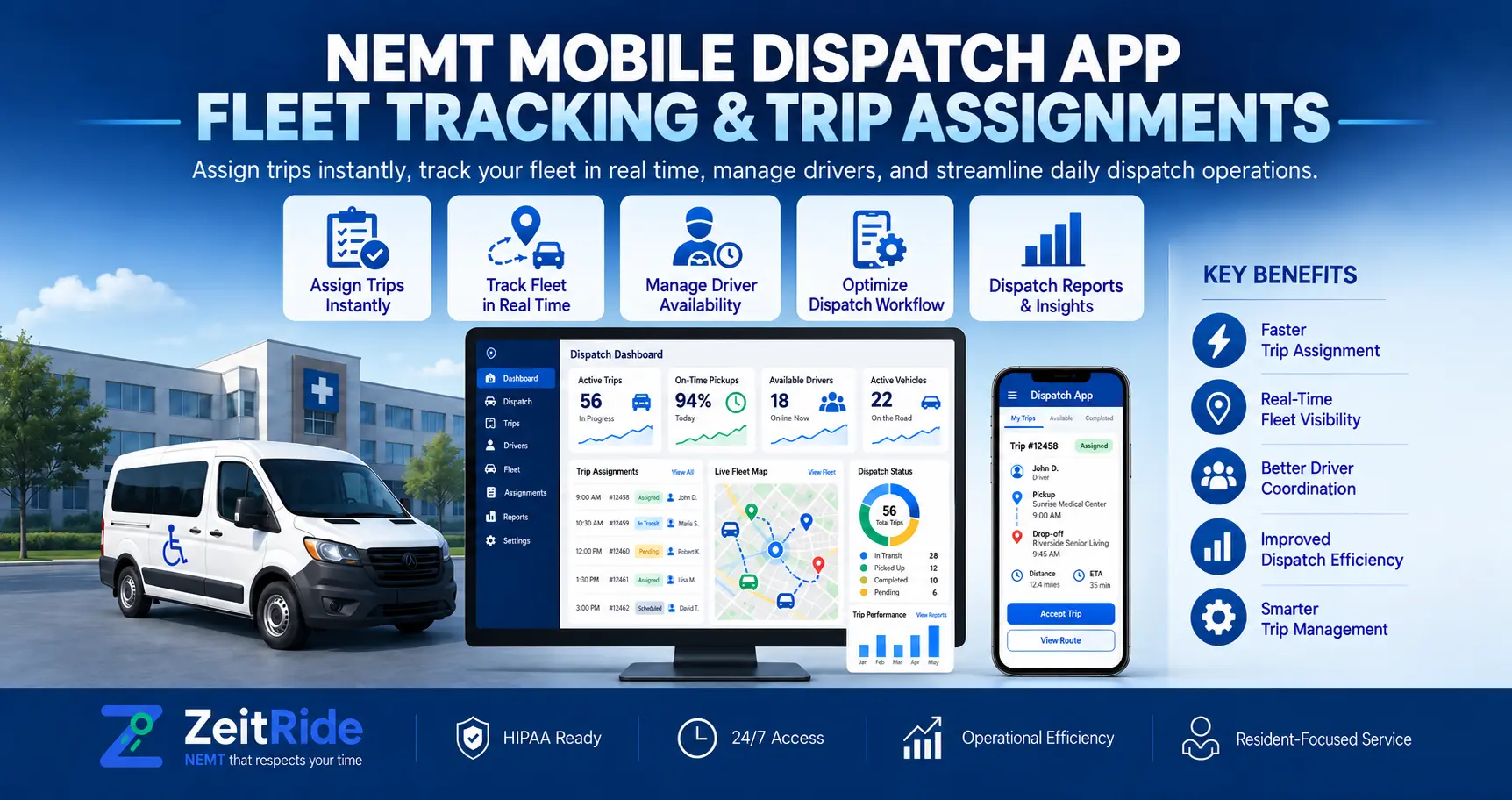
NEMT Mobile Dispatch App: Fleet Tracking & Trip Assignments
Learn how NEMT dispatchers check fleet locations, review unassigned trips, and reassign suitable drivers from a phone with ZeitRide Admin.
Quick answer
An NEMT mobile dispatch app helps authorized managers view reporting vehicles, review trips, and assign or reassign drivers from a smartphone. ZeitRide Admin synchronizes assignment changes with the web Dispatch Board. Billing and detailed trip edits still require the web portal.
ZeitRide Team
NEMT Operations Expert
Imagine a wheelchair trip becomes unassigned while a fleet owner is away from the office. The pickup window is approaching, but the closest vehicle may not have the right capacity. The owner needs the trip details and the driver's schedule, not another round of guesswork over the phone.
An NEMT mobile dispatch app lets authorized office staff review trips, monitor reporting vehicles, and change driver assignments from a smartphone. ZeitRide Admin brings selected dispatch decisions to iPhone and Android and keeps confirmed assignment changes synchronized with the web Dispatch Board.
What Is an NEMT Mobile Dispatch App?
An NEMT mobile dispatch app is an office-facing tool for checking a transportation fleet and handling time-sensitive assignments without opening a desktop dispatch board. It is different from the app drivers use to navigate and record pickups.
Its value comes from context: a vehicle marker alone cannot tell a manager whether a driver is available, whether a passenger needs a wheelchair-accessible vehicle, or where a new stop fits into that driver's day.
What Can an NEMT Dispatcher App Do?
Depending on staff permissions, ZeitRide Admin can:
- View the fleet: Check vehicle status, assigned drivers, app connectivity, and maintenance or compliance attention flags.
- Monitor locations: See reporting vehicles on a live map with their last location-update times.
- Review today's trips: Check pickup times, trip statuses, passenger requirements, and unassigned trips.
- Manage assignments: Assign or reassign drivers and create regular office-booked trips.
Assignments confirmed on a phone appear on the web Dispatch Board, and changes made on the board also appear in the app.
Authorized staff can create one-time or weekly recurring office-booked trips from mobile. Broker trip intake remains part of the connected broker workflow.
How Does NEMT Mobile Fleet Tracking Work?
ZeitRide Admin displays vehicles reporting their positions through the driver app or a connected vehicle camera. Map positions refresh approximately every 30 seconds.
Selecting a marker displays information such as the driver, vehicle, speed, location source, and last update time.
Older positions remain visible but are marked stale.
This distinction matters. An offline driver app does not necessarily mean the vehicle stopped moving. Similarly, an old map marker should not be treated as a current position.
Before promising a pickup time, check when the vehicle last reported its location. For the broader location-monitoring workflow, see NEMT fleet GPS monitoring.
How to Reassign NEMT Trips From a Phone
Consider a hypothetical wheelchair trip that needs another driver. A sensible mobile reassignment follows five steps:
- 1. Open the trip: Go to Trips and filter to Unassigned, or select the assigned trip requiring a change.
- 2. Review passenger needs: Check pickup and appointment times, mobility requirements, additional passengers, and exclusive-ride restrictions.
- 3. Evaluate available drivers: Open the driver picker to review suggested drivers, assigned vehicles, surrounding stops, and capacity checks.
- 4. Resolve warnings: Check any warning about wheelchair suitability or conflicts with exclusive rides before choosing a driver.
- 5. Confirm the assignment: Select the driver, confirm the change, and review its effect on upcoming stops.
The change synchronizes with the web Dispatch Board.
A useful NEMT trip assignment app should make those scheduling and capacity considerations visible rather than offering only a list of driver names.
ZeitRide provides best-fit suggestions, but dispatchers remain responsible for confirming suitability, timing, and service requirements. For broader decisions involving driver availability and route changes, see the vehicle reassignment workflow.
NEMT Admin App vs Driver App
These applications have different responsibilities.
| Feature | ZeitRide Admin | ZeitRide Driver |
|---|---|---|
| Primary users | Owners and office staff | Drivers |
| Main purpose | Fleet oversight and trip assignments | Performing assigned trips |
| Trip actions | Assign and reassign eligible trips | Record pickups and drop-offs |
| GPS | Displays reporting vehicle positions | Shares location during shifts |
| Offline capability | Requires internet | Supports certain offline workflows |
The Admin app supports operational decisions, while the Driver app supports transportation service in the field. They use separate access credentials and permissions. Learn more about the ZeitRide Driver app and its trip-execution features.
What Still Requires the Web Dispatch Portal?
Mobile dispatch is a companion to desktop operations, not a complete replacement.
ZeitRide Admin does not currently handle editing an existing trip's addresses or times, cancelling trips, processing claims, running payroll, or managing staff access.
It also requires an internet connection and does not send push notifications.
These tasks remain in the web portal and the broader NEMT dispatch software workflow. Staff permissions also determine whether someone can access the map, manage assignments, or create trips.
For current screens and limitations, review the ZeitRide Admin app guide.
The app is available through the official Apple App Store and Google Play. A company-issued ZeitRide login is required.
What Should Fleet Owners Test Before Choosing Mobile Dispatch Software?
A product demonstration should show how the software handles an actual operational exception.
Ask to review an unassigned wheelchair trip from a phone. Check whether the dispatcher can see mobility requirements, evaluate the driver's next stops, identify capacity warnings, and confirm a suitable reassignment. Then verify that the web Dispatch Board reflects the change.
Also ask to see an outdated GPS marker and an account without dispatch permission. These situations help reveal the difference between a polished feature demonstration and a practical operating workflow.
See ZeitRide Mobile Dispatch in Action
When your team needs to handle an unassigned ride away from the dispatch desk, see what an NEMT mobile dispatch app can do during a real assignment scenario.
Book a ZeitRide demo to see fleet monitoring, driver suitability checks, and mobile trip reassignment in action.
Frequently Asked Questions
Q: Can NEMT Dispatchers Reassign Drivers From a Smartphone?
Yes. Authorized ZeitRide Admin users can assign or reassign drivers on eligible trips that have not already been completed or cancelled.
Q: Does the Mobile Map Show Every Fleet Vehicle?
The map displays vehicles reporting a location. Older positions are marked stale, while vehicles without location reports may not appear.
Q: Can Dispatchers Create New NEMT Trips From the App?
Yes. Authorized staff can create regular one-time or weekly recurring trips. Broker-connected trips continue through the established broker workflow.
Q: Does ZeitRide Admin Work Offline?
No. ZeitRide Admin requires an internet connection. The separate Driver app supports certain offline operations.
Q: Can the Admin App Replace the Entire Desktop Portal?
No. Billing, detailed changes to existing trips, reporting, payroll, and company settings remain in the web portal.
Rather see it than read about it?
Bring a real route, a couple of drivers, and your current process. 15 minutes, zero pitch.