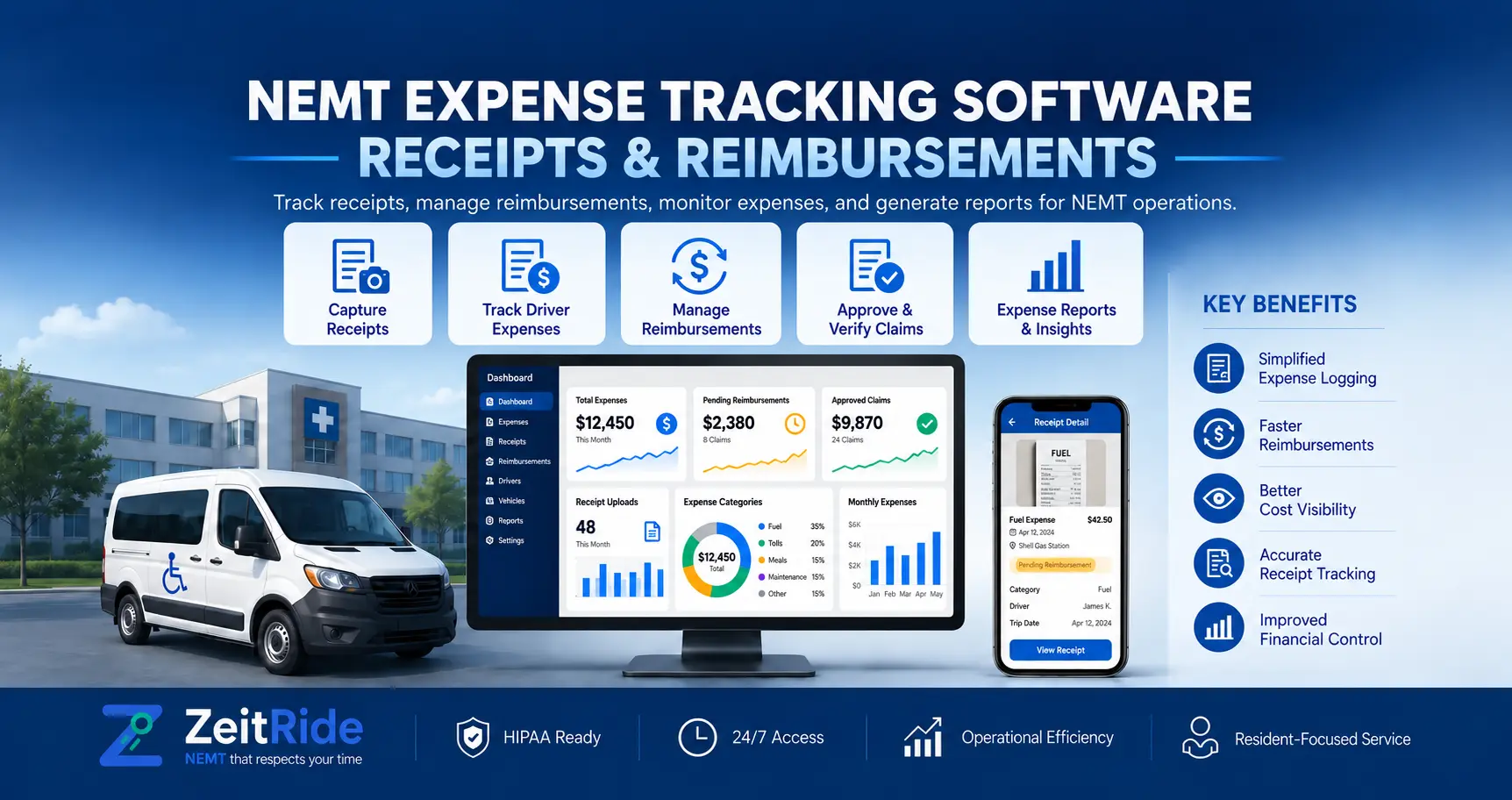
NEMT Expense Tracking Software: Receipts & Reimbursements
Learn how NEMT drivers submit fuel receipts, managers approve expenses, and fleets track reimbursements using ZeitRide.
Quick answer
NEMT expense tracking software records driver purchases, stores receipt images, and supports expense approvals and reimbursement tracking. ZeitRide lets drivers submit receipts in its mobile app while office staff review, approve, reject, and mark eligible expenses reimbursed after payment.
ZeitRide Team
NEMT Operations Expert
Fuel receipts often end up in a driver's vehicle, a text message, or an office inbox. Meanwhile, managers need to know which purchases were approved, which were made on company cards, and which drivers are waiting to be repaid.
NEMT expense tracking software organizes those records in a repeatable workflow. With ZeitRide, drivers submit receipts through the ZeitRide driver app, while office staff review expenses without collecting paperwork after every shift.
What Is NEMT Expense Tracking Software?
NEMT expense tracking software helps non-emergency medical transportation companies record operating purchases, attach receipts, verify spending, and track reimbursement status. It focuses on company expenses—not Medicaid or broker payments for completed trips.
The goal is to answer four practical questions: What was purchased? Who paid? Has the manager approved it? Has the driver been reimbursed?
Which Driver Expenses Should Be Tracked?
Consistent NEMT driver expense tracking starts with categories drivers understand:
- Fuel: Amount, merchant, date, receipt, and payment method.
- Tolls and parking: Cost and a short explanation when needed.
- Maintenance and supplies: Purchased item and reason for the expense.
- Other approved purchases: Items permitted by the company’s written policy.
Drivers should identify whether they used personal funds or a company card. For NEMT fuel receipt tracking, a readable receipt and correct payment method are especially important: recording a card charge as an out-of-pocket expense could lead to an unnecessary reimbursement.
How Does ZeitRide Capture and Review Expenses?
Receipt Capture in the Driver App
ZeitRide’s NEMT receipt scanning software workflow begins when a driver photographs or uploads a receipt. The driver can crop the image; ZeitRide attempts to read the merchant, amount, tax, and date. It may suggest an expense category, but the driver must check the details and correct anything missing or inaccurate.
The driver adds the category, payment method, and optional notes or odometer reading before submitting. The receipt and expense details then appear in the office’s Expenses area. For exact screens and steps, see the driver expense submission guide.
The NEMT Expense Approval Workflow
Office staff review the attached receipt and expense details, then follow these steps:
- Review the amount, category, submitter, and payment method.
- Approve a valid expense or reject it with a reason.
- Edit the record or set it to pending when corrections are necessary.
- Mark reimbursed after an eligible driver-paid purchase has actually been repaid.
The office can filter expenses by driver, date, status, source, or payment method. ZeitRide’s expense approval documentation explains these controls.
Important: Marking an expense reimbursed records payment status. It does not transfer money to the driver.
How Do You Prevent Duplicate Driver Reimbursements?
NEMT driver reimbursement tracking must distinguish money a driver personally spent from purchases already paid with a company card. Consider this hypothetical shift:
- A driver purchases $72 in fuel using personal funds.
- The same driver pays a $15 toll using a company card.
- Both purchases are recorded and approved.
The company owes the driver $72, not $87. The toll belongs in company-card records for reconciliation, while the fuel expense can be marked reimbursed once the driver is paid.
Separating these transactions helps prevent duplicate payments and identifies which approved expenses remain unpaid. Driver expense repayments are also different from wages; the NEMT driver pay structures guide covers compensation models.
Manual Tracking vs. Connected NEMT Software
| Task | Paper or Spreadsheets | Connected Expense Workflow |
|---|---|---|
| Collect receipts | Texts, email, or paper | Driver submits a receipt with the expense |
| Enter details | Staff retype information | Receipt scanning prefills details for review |
| Review spending | Messages and separate notes | Office records approval or rejection |
| Track repayment | Separate spreadsheet | Reimbursement status stays with the record |
Software does not replace a manager’s judgment. It keeps the supporting information and the decision in one place.
How Can Fleet Owners Set Up a Better Expense Process?
Start with a short policy defining reimbursable purchases, spending limits, receipt requirements, approved payment methods, and who can authorize exceptions. Ask drivers to submit expenses promptly while receipts are legible and details are easy to confirm.
Review pending expenses regularly, reconcile company cards against statements, and record reimbursement only after actual payment. The IRS guidance on business records explains why receipts and other supporting documents matter. Software helps organize records; it does not determine tax deductibility.
Expense records support broader cost analysis, but they are not a trip-profit calculator. For that separate question, use the NEMT cost per trip calculator.
See the Expense Workflow in ZeitRide
If your team still collects receipts through texts and spreadsheets, see how NEMT expense tracking software connects driver submissions with office review. The ZeitRide platform walkthrough explains how its mobile and office workflows fit together.
Want to see receipt capture, approvals, and reimbursement-status tracking with your own fleet questions? Book a ZeitRide demo.
Frequently Asked Questions
Q: Can ZeitRide Read Fuel Receipts Automatically?
ZeitRide can extract information such as the merchant, total, tax, and date from an uploaded receipt. Drivers should verify the results before submitting.
Q: Can a Manager Reject an Expense?
Yes. Office staff can reject an expense with a reason, edit the record, or set it back to pending when corrections are needed.
Q: Does ZeitRide Send Reimbursement Payments?
No. Marking an expense reimbursed records that the driver has been repaid through the company’s normal payment process; it does not transfer funds.
Q: Should Company-Card Purchases Be Reimbursed?
Not to a driver who did not personally pay for them. Record the purchase as a company expense and reconcile it against the card statement.
Q: Is Expense Tracking the Same as NEMT Trip Billing?
No. Expense tracking records company spending and driver repayments. Trip billing concerns amounts owed by brokers, facilities, or other payers.
Rather see it than read about it?
Bring a real route, a couple of drivers, and your current process. 15 minutes, zero pitch.