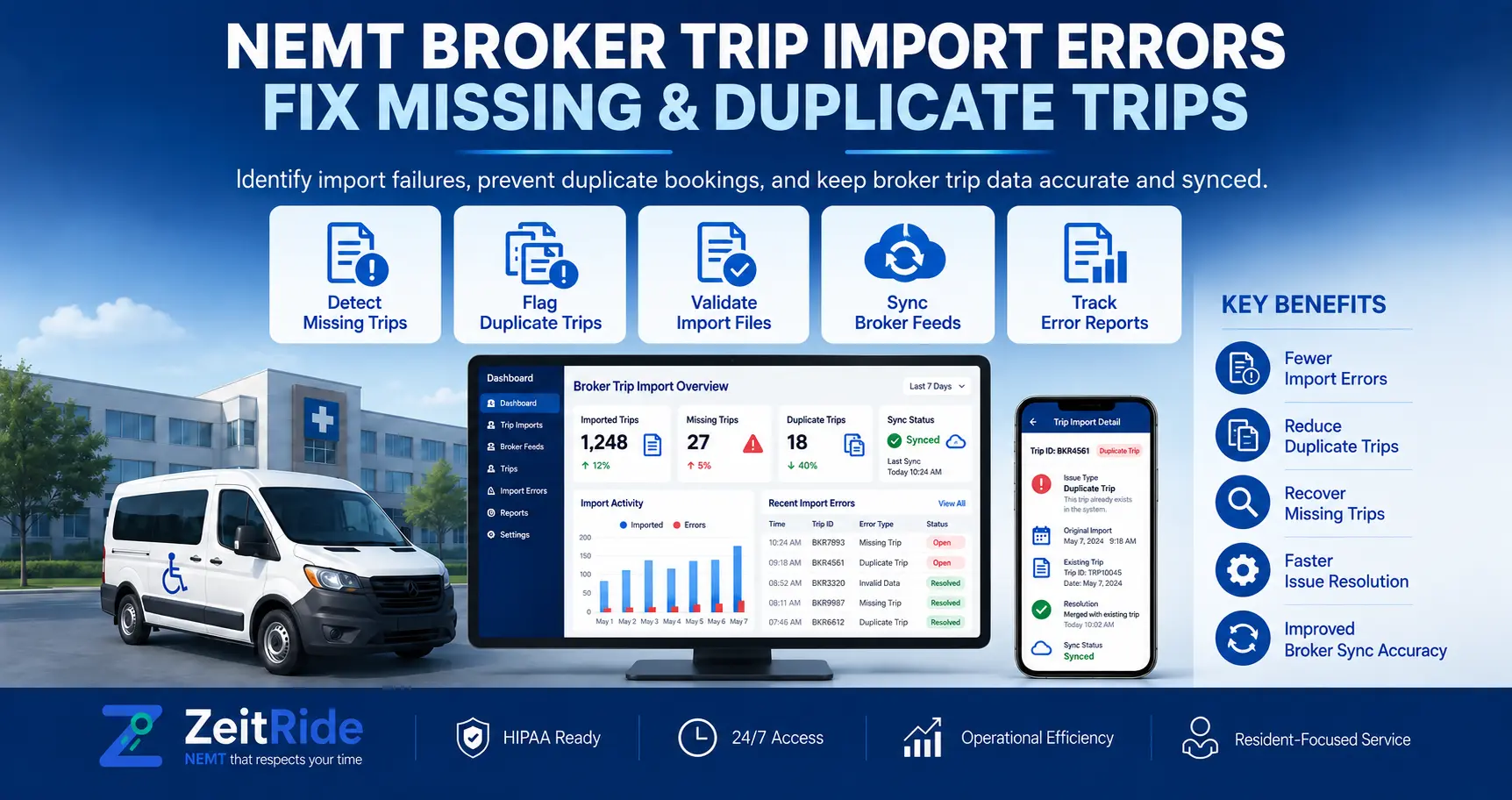
NEMT Broker Trip Import Errors: Fix Missing & Duplicate Trips
Missing broker trips, duplicate bookings, or outdated changes? Learn how to verify trip records and fix import problems before dispatch.
Quick answer
To fix NEMT broker trip import errors, compare the broker assignment, the incoming trip record, and the dispatch schedule. Check connection or file status, booking IDs, cancellations, and member matches. Confirm discrepancies with the broker before releasing affected trips.
ZeitRide Team
NEMT Operations Expert
Your first driver is preparing to leave, but the broker portal shows a trip that is missing from the dispatch board. Another ride appears twice. A third still carries an old pickup time after the broker changed the appointment.
These are common situations behind NEMT broker trip import errors, but they do not all have the same cause. A missing ride may never have been released through the broker connection. A duplicate-looking record may be a replacement booking. An imported trip may exist in the system but remain unscheduled because its rider needs verification.
The mistake is treating every discrepancy as a failed import and immediately creating or editing trips. A better approach is to identify which record is current, verify the broker assignment, and resolve the exception before the driver receives an incorrect manifest.
This guide explains the checks NEMT dispatchers can use to catch missing, duplicated, cancelled, and changed broker trips before transportation begins.
What Should You Check First When a Broker Trip Is Missing?
Start with three records: the broker's current assignment, the imported information, and your dispatch schedule.
Confirm that the booking is assigned to your company for the correct service date. Then review the latest API fetch, webhook event, or file import, depending on the connection. Finally, compare the booking ID, trip leg, rider, pickup details, service level, and status against the local schedule.
A trip should not be treated as ready for dispatch merely because it appears in a spreadsheet or an older manifest. Confirm unresolved differences with the broker, particularly those involving authorization, cancellation, rider identity, or required vehicle type.
What Causes NEMT Broker Trip Import Errors?
A broker trip import error is a mismatch or failure in the process of transferring an assigned transportation booking into the provider's scheduling and dispatch workflow. The problem can occur at different points:
- Broker assignment: The ride has not been released, is assigned to another provider, or has been withdrawn.
- Data delivery: An API connection, scheduled fetch, webhook, or file import has not delivered the expected record.
- Data validation: A required field is missing, invalid, or mapped incorrectly.
- Member matching: The received trip cannot be confidently connected to the correct rider record.
- Scheduling: The imported booking exists, but it has not been placed on a dispatch run.
- Status updates: A cancellation, replacement, or changed appointment has not yet been reflected in the working schedule.
Identifying the failure point prevents unnecessary changes to records that may already be correct.
Diagnose the Problem With a Three-Record Verification
Step 1: Verify the broker's current record. Open the authorized broker portal or obtain the latest approved manifest. Confirm the booking number, transportation provider assignment, service date, trip leg, pickup and destination, appointment details, service level, and current status.
Step 2: Verify what was received. For automated connections, review the integration's current status and latest available fetch or event information. For file-based imports, check the source file, service-date range, import result, and any rejected rows.
ZeitRide users can follow the documented broker trip intake workflow to review connection settings, scheduled fetching, date-range backfills, and file imports.
Step 3: Verify the working schedule. Compare the booking with the Trip List and Dispatch board. Review both scheduled and unscheduled bookings, as well as cancellation or replacement statuses.
Do not rely on total trip counts alone. Two records may represent separate legs, while an older booking may have been replaced. Use the broker booking reference and service date to investigate each discrepancy.
| What you find | Likely explanation | First action |
|---|---|---|
| Broker booking exists, but no imported record appears | Assignment not delivered, inactive connection, incorrect date range | Confirm broker release and check intake |
| Booking imported but is not on a driver run | Unscheduled trip or unresolved member match | Review Trip List and matching warnings |
| Two similar bookings appear | Reissued booking or genuine duplicate | Compare booking IDs and statuses |
| Old pickup time remains | New update not received or not reviewed | Verify current broker details |
| CSV row cannot import | Missing or incompatible field data | Inspect source file and mapping |
| Cancelled ride remains on a manifest | Outdated manifest or unsynchronized status | Confirm cancellation before dispatch |
Six Common Broker Trip Import Problems and How to Fix Them
1. NEMT Broker Trips Not Showing Up
When NEMT broker trips are not showing up, first determine whether the booking is actually assigned to your company.
Check the broker's portal, provider account, service date, and active assignment status. A trip visible in a broader broker system is not necessarily released to your company's integration feed.
Next, check the import method. For a supported automated ZeitRide connection, review the broker integration under Settings, confirm it is active, and use the documented date-range Fetch trips option when a specific period needs to be checked again. Automatic fetching normally runs nightly; some broker connections also support live updates.
For a file-based broker, review the latest export and the Trip List import workflow instead of assuming an API fetch is available.
If the record was received but has not been scheduled, inspect the Not scheduled yet tab and member warnings. If the broker confirms that a current booking should have been transmitted but it still cannot be located, collect the booking ID, service date, broker name, and import details for support.
Do not recreate a broker-funded trip without confirming the assignment and following the broker's procedures.
2. Duplicate NEMT Broker Trips
Two similar rides do not necessarily mean the same booking was imported twice. A broker may cancel an original booking and issue a replacement under a new identifier. A recurring trip may also exist before the broker sends its dated booking.
Before removing a suspected duplicate:
- Compare the broker booking numbers and service dates.
- Confirm whether the records are separate outbound and return legs.
- Check whether one booking has been replaced or cancelled.
- Review whether a recurring schedule already generated the trip.
- Confirm which booking the broker currently recognizes.
In ZeitRide, a Replaced record represents an older booking that has been reissued. It is retained for reference rather than used for dispatch. The platform also documents automatic handling of resent broker bookings. If a genuine duplicate remains, the affected record can be cancelled with the reason Duplicate, after confirming which booking should stay active.
Avoid deleting or cancelling both records simply because the rider and addresses match.
3. NEMT Broker Trip Updates Not Syncing
NEMT broker trip updates not syncing can leave dispatchers working from an outdated pickup time, address, service requirement, or cancellation status.
Start by checking the latest information in the broker's system. Then confirm whether your connection uses periodic fetching, live webhook updates, or manual file imports.
ZeitRide's published documentation describes nightly broker fetching and optional real-time webhook updates for supported connections. The exact behavior depends on the broker and configuration.
When an imported booking shows an Updated indicator, review the changed details before assigning or reassigning a driver. For trips already on the Dispatch board, the trip history can also help identify recorded broker changes, user edits, and assignment updates.
If the local schedule differs from the broker record, establish which information is current before correcting the trip. Where broker approval is required, do not change an authorized pickup time or trip requirement independently. After resolving a dispatch-impacting change, confirm that the assigned driver has received the correct information.
4. NEMT CSV Trip Import Errors
NEMT CSV trip import errors usually require checking the file's structure and individual field values before importing again. Inspect the following:
- Correct broker export or approved import template.
- Service dates and pickup or appointment time columns.
- Required booking identifiers and trip-leg information.
- Pickup and drop-off address fields.
- Rider identity information and service-level values.
- Missing cells, unexpected formatting, or incorrectly mapped columns.
For example, if the appointment-time column is mapped as pickup time, an otherwise valid import may create a schedule that is operationally wrong.
If a source file fails validation, preserve the original, identify the affected rows, correct the data using the approved format, and verify the result before dispatching. Avoid repeatedly uploading the same file without checking whether earlier rows were already accepted. Use booking identifiers to prevent creating additional records.
Where errors appear to originate in the broker's source information, request a corrected export instead of silently changing authorization-related details.
5. NEMT Broker Trip Member Matching Errors
NEMT broker trip member matching errors occur when an incoming ride cannot be confidently associated with the correct member record. Common causes include incorrect dates of birth, inconsistent rider identifiers, incomplete source data, or multiple possible matches.
ZeitRide's member-matching workflow uses the rider's name and date of birth as primary matching information. Ambiguous cases can be flagged for manual review. An amber warning triangle on the Trip List indicates that the member association needs attention.
To investigate, open the affected row, review the broker-provided details, and select the correct member when the evidence supports the match. If the member profile contains incorrect information, correct the roster and use the documented Re-match & schedule trips workflow when appropriate.
The member matching guide explains the available controls and how unresolved matches affect billing readiness. Never choose a rider based on a similar name alone. A wrong match can associate the transportation record with the wrong person and create serious privacy and documentation problems.
6. Cancelled, Replaced, and Unconfirmed Broker Trips
Not every trip that disappears from an active schedule represents an import failure. A broker may cancel an assignment, replace a booking, or leave a recurring trip without a dated authorization record. ZeitRide distinguishes these situations through its Trip List statuses:
- Cancelled: The trip was cancelled or pulled; the record is retained but cannot be assigned or billed as an active booking.
- Replaced: The previous broker booking was superseded by a new booking number.
- Updated: The booking remains actionable, but its details have changed.
- No broker trip: A recurring occurrence exists without its corresponding dated broker booking.
The last status deserves particular attention. A recurring trip may remain schedulable, but it cannot be billed as a broker claim for that date unless the required broker booking is attached. Before operating an unconfirmed broker-funded trip, verify the assignment and authorization under the relevant broker agreement.
For the product-specific meaning of these indicators, see ZeitRide's broker trip status reference.
API vs. Webhook vs. CSV: Why Import Timing Matters
The delivery method determines how dispatchers should investigate missing or outdated information. An automated integration does not automatically mean that every broker sends changes instantly. Some systems fetch records at scheduled intervals, while other connections can receive event-driven updates.
A CSV file represents the information available when that file was exported. It does not independently refresh after the broker changes a booking.
| Import method | How information arrives | Main troubleshooting check |
|---|---|---|
| Scheduled API fetch | Software retrieves broker records at configured intervals | Connection status, last fetch, date range, broker assignment |
| Webhook / live event | Supported broker pushes changes when events occur | Supported event types, last received event, delivery status |
| CSV / Excel file | Staff uploads a broker-exported manifest | File version, field mapping, validation, re-imported changes |
Not every broker supports every method. For example, MTM Health has documented API-based integration with compatible routing and dispatch systems, but individual provider connections and enabled functions still need verification.
The practical rule is simple: know how your trips arrive, how changes arrive, and when the last successful synchronization occurred.
Pre-Dispatch Checklist: Verify Broker Trips Before Drivers Leave
- Confirm assignment: Check active bookings for the correct broker, provider account, and service date.
- Review expected versus received: Compare broker bookings with imported records, accounting for cancellations, replacements, and individual trip legs.
- Clear unscheduled exceptions: Investigate trips in Not scheduled yet and unresolved member-matching warnings.
- Check booking changes: Review revised pickup times, addresses, mobility requirements, and cancellation statuses.
- Validate vehicle suitability: Confirm wheelchair accessibility, seating, equipment, and assistance requirements where applicable.
- Review driver manifests: Ensure affected drivers have the correct, current trip information.
- Escalate unresolved conflicts: Contact the broker for assignment or authorization problems and software support for confirmed import failures.
- Record the resolution: Keep a traceable note of what changed, who confirmed it, and which booking is now valid.
Treat this as a release check for affected trips, not a requirement to stop every vehicle whenever one record needs investigation. Hold or escalate trips with unresolved identity, authorization, cancellation, or safety-critical service-level discrepancies before sending the driver.
Practical Example: An Imported Trip That Never Reached Dispatch
Consider an illustrative morning shift where a broker's current manifest contains 24 active trip legs, but the dispatcher sees only 23 on assigned runs. The dispatcher initially suspects a failed import.
However, after comparing broker booking IDs with the Trip List, the missing booking appears under Not scheduled yet with a member-matching warning. The trip data was received, but the rider association was unresolved.
The dispatcher checks the authorized member details, identifies the correct record, resolves the matching issue, and schedules the trip. The final review confirms that the booking is now on the correct driver run with the correct service requirements.
The lesson is that a trip missing from the dispatch board is not always missing from the import. Investigate the stage where the record stopped progressing before attempting a new import.
This is an illustrative workflow, not a reported customer case study or measured ZeitRide performance result.
How ZeitRide Supports Broker Trip Verification
ZeitRide connects supported broker intake methods with the Trip List, scheduling, dispatch, member records, and downstream billing workflows.
Its published help documentation describes automatic broker fetching, date-range backfills, file-based imports, member re-matching, and status indicators for updated, cancelled, or replaced bookings. For supported connections, webhook events can also deliver broker changes without waiting for the next scheduled fetch. Availability varies by integration.
The benefit of a connected workflow is not simply moving trip data faster. It is helping dispatchers identify where a booking needs attention and keeping current assignment information connected to operational decisions.
Explore ZeitRide's NEMT broker integration software to understand the supported product capabilities and discuss your broker-specific setup.
After transportation is completed, financial review becomes a separate process. ZeitRide's NEMT trip reconciliation guide explains how to investigate unpaid trips and payment discrepancies without confusing them with pre-dispatch import problems.
Protect Rider Information While Troubleshooting
Broker trip files and support records can contain sensitive rider information, including names, addresses, dates of birth, and identifiers.
Use authorized systems and approved communication channels when sharing import records or screenshots. Remove patient-identifying information from public examples, training materials, and software-demo samples unless appropriate protections and permissions are in place.
For organizations subject to HIPAA, the HHS HIPAA Security Rule describes safeguards for electronic protected health information, including access control and transmission security.
A troubleshooting ticket should contain the information necessary to resolve the issue without unnecessarily exposing rider data.
Fix Import Problems Before They Become Missed Trips
Most NEMT broker trip import errors become easier to resolve when teams separate assignment problems, data delivery failures, member-matching warnings, and scheduling errors.
Before dispatch, compare the broker's current booking with the imported record and the driver's working schedule. Confirm changes, resolve unsafe or unauthorized discrepancies, and keep a record of the final decision.
If recurring import issues are creating extra dispatch work, ZeitRide can demonstrate how supported broker connections, member matching, scheduling, and dispatch fit together.
Bring a de-identified example of your current workflow and book a ZeitRide demo to review the relevant capabilities for your fleet.
Frequently Asked Questions
Q: Why are my NEMT broker trips not showing up?
Check whether the booking is currently assigned to your company, then review the broker connection, import date range, and Trip List. An imported booking may exist under Not scheduled yet because it still requires member matching or scheduling.
Q: How do I fix duplicate NEMT broker trips?
Compare the broker booking IDs, service dates, trip legs, and statuses. Determine whether one record is a replaced booking or recurring-trip match. Confirm the valid assignment before cancelling a genuine duplicate.
Q: Why are NEMT broker trip updates not syncing?
Check whether the connection uses periodic API fetching, supported webhook updates, or manual file imports. Verify the latest broker change, synchronization result, and local trip status. Escalate confirmed delivery failures to the broker or software provider.
Q: What causes NEMT CSV trip import errors?
Common causes include missing required fields, incorrect column mapping, incompatible date or time formats, invalid addresses, and mismatched service-level values. Review the source file, correct the approved import format, and verify accepted records before uploading again.
Q: How can I resolve NEMT broker trip member matching errors?
Compare the incoming rider details with authorized member records. Correct inaccurate information, resolve ambiguous matches manually, and run the supported re-matching workflow when appropriate. Never connect a trip to a person based only on a similar name.
Q: Can I dispatch a trip that has no broker booking number?
A locally scheduled or recurring trip may exist before its dated broker booking arrives. Whether the trip can be operated or billed depends on the payer agreement and applicable authorization requirements. Confirm the assignment with the broker before proceeding when the booking is missing.
Rather see it than read about it?
Bring a real route, a couple of drivers, and your current process. 15 minutes, zero pitch.