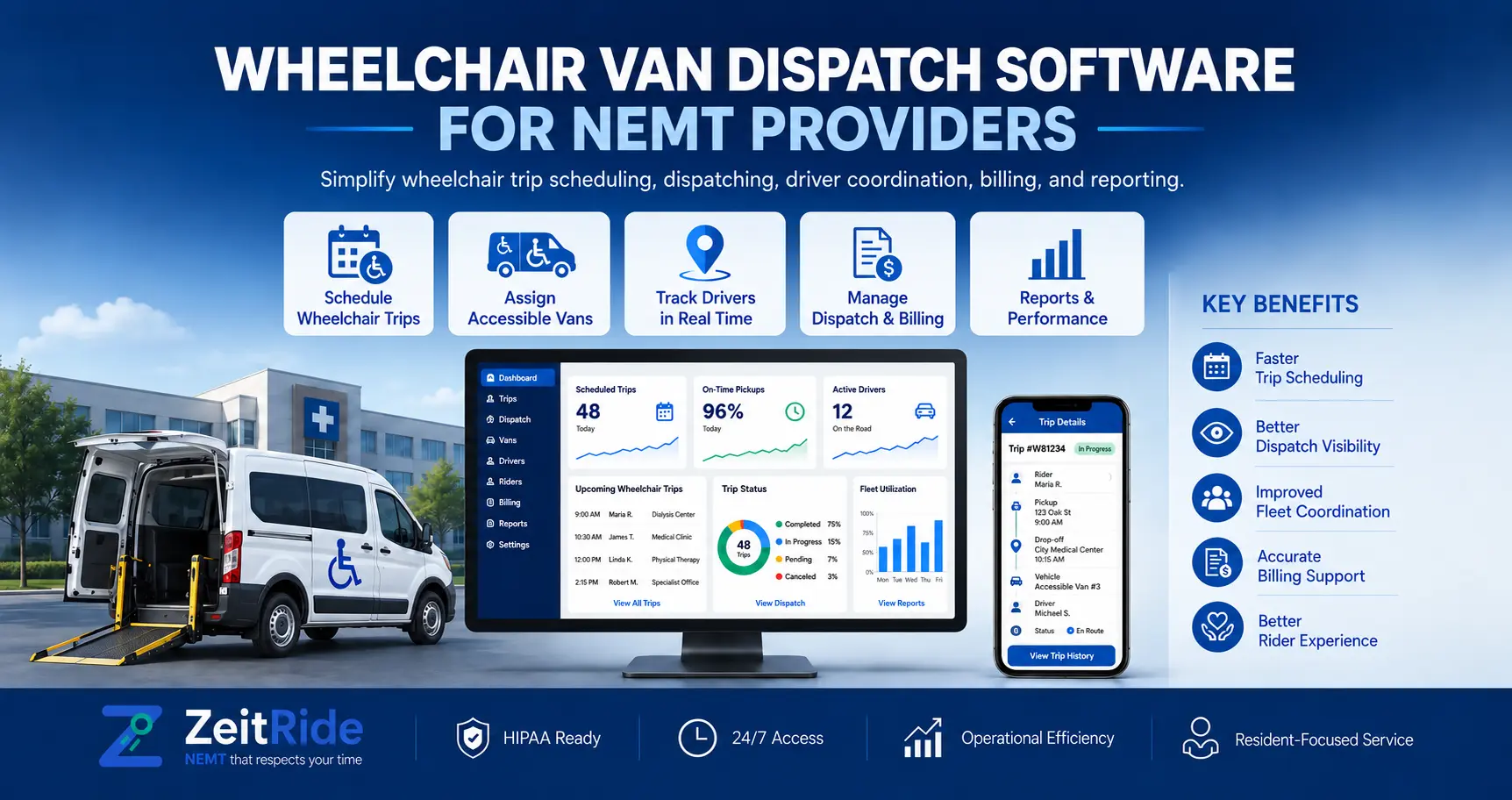
Wheelchair Van Dispatch Software for NEMT Providers
Wheelchair trips need more than a pickup time. Learn how NEMT fleets handle accessible vehicles, rider matching, capacity, live dispatch and billing.
Quick answer
Wheelchair van dispatch software helps NEMT providers schedule accessible rides, match riders to suitable vehicles, manage capacity and monitor trips through billing. Effective workflows combine mobility details, vehicle checks, live driver updates and accurate trip records.
ZeitRide Team
NEMT Operations Expert
Imagine this dispatch decision: three patients need rides within the same hour, two accessible vans are on the road, and the only unassigned vehicle is ambulatory-only. A calendar shows an available driver, but that does not mean the next wheelchair trip is ready to assign.
For non-emergency medical transportation (NEMT) providers, wheelchair van dispatch software should help connect a rider's mobility requirements with an appropriate vehicle, a feasible pickup window, an available driver, and a reliable record of what happened on the trip. The goal is to assign trips that can actually be performed.
Why Wheelchair Van Dispatch Software Needs More Than a Calendar
Wheelchair rides introduce constraints that an ordinary vehicle calendar may overlook. A provider must know whether the van is wheelchair accessible, whether the rider's mobility device can be accommodated, whether the vehicle has a usable securement position, how much assistance is required, and whether the driver can reach the appointment within the required window.
Mobility type and pickup assistance are separate questions. A passenger using a manual wheelchair might require door-to-door assistance, while another may have a different authorized handoff arrangement. ZeitRide's guide to NEMT levels of service explains these distinctions in more detail.
One late discharge or equipment failure can disrupt later pickups. Wheelchair van dispatch software should make those conflicts visible before a dispatcher confirms an assignment.
What to Record Before Scheduling a Wheelchair Trip
1. Rider mobility and assistance needs
Confirm whether the passenger uses a manual wheelchair, power wheelchair, larger mobility device, or another approved transport arrangement. Record required attendants, additional passengers, relevant equipment instructions, and whether shared rides are permitted. Ask only for information necessary to coordinate the transportation and handle it according to applicable privacy requirements.
2. Vehicle suitability and actual usable capacity
A wheelchair-accessible vehicle (WAV) needs an appropriate ramp or lift, a serviceable configuration, and the correct securement equipment for the planned trip. The vehicle's status and driver's assignment must also be current.
Seat capacity is not the same as wheelchair capacity. A van recorded as having six passenger seats does not necessarily have six usable wheelchair positions. Vehicle configuration, designated securement locations, occupied space, equipment limits, accompanying passengers, and applicable operating rules all matter.
ZeitRide's dispatch board shows seat-capacity warnings, and its vehicle records identify wheelchair accessibility. Operators must still verify actual wheelchair-position availability and equipment suitability rather than assuming a general seat count proves a safe fit.
For transportation subject to the applicable DOT ADA rules, the Federal Transit Administration's wheelchair and securement guidance explains relevant responsibilities. Confirm which laws, contracts, vehicle specifications, and operating policies apply to your service.
3. Trip timing, payer and return arrangements
Record pickup or appointment time, addresses, instructions, payer and return arrangements. Allow time for boarding and securement, not just driving.
How Wheelchair Transportation Scheduling Software Should Work
A reliable workflow connects request intake, live dispatch and billing:
- 1. Capture the request. Record the member, funding source, pickup and destination, mobility needs, assistance level, additional riders, and pickup or appointment window.
- 2. Review the vehicle roster. Check WAV capability, today's assigned vehicle, operating status, seating and independently confirmed wheelchair positions.
- 3. Check the driver and time window. Account for shift coverage, travel time, loading time, planned breaks, other stops, and any qualifications required by your contracts.
- 4. Choose a feasible assignment. Match the ride to a suitable run. If no eligible vehicle is available, keep the trip under review rather than forcing an unsafe assignment.
- 5. Dispatch and monitor. Send trip details to the driver, watch pickup progress, and revise assignments when traffic, cancellations or vehicle changes affect the plan.
- 6. Handle the return trip. Keep uncertain return times visible in a will-call queue and confirm vehicle suitability again when the passenger is ready.
- 7. Close the trip record. Review actual trip times, status, required signatures and payer-specific information before preparing a claim or invoice.
ZeitRide's NEMT scheduling software connects recurring and one-time bookings to dispatch and driver activity. Its trip-entry workflow supports mobility details, attendants, return legs and will-call trips, making those constraints visible before the day is underway.
NEMT Vehicle Capacity Matching Software: Two Checks, Not One
When evaluating NEMT vehicle capacity matching software, treat vehicle eligibility and remaining capacity as different decisions. The first asks whether this vehicle can transport this passenger as requested. The second asks whether the ride still fits after considering everyone and everything already on board.
| Dispatch check | Question to answer | Why it matters |
|---|---|---|
| Mobility match | Is today's assigned van wheelchair accessible and appropriate for this rider? | Prevents sending an ambulatory-only vehicle to a rider who needs WAV access. |
| Wheelchair position | Is a suitable securement location actually available? | A total seat count alone cannot establish wheelchair capacity. |
| Other occupants | Are attendants or additional passengers already scheduled? | People and equipment can change usable capacity. |
| Time feasibility | Can the driver complete boarding, travel and arrival on time? | A vehicle can be suitable but unavailable at the required time. |
| Shared-ride restrictions | Is multiloading permitted for this particular trip? | A technically possible shared route may still conflict with trip instructions. |
ZeitRide supports wheelchair-accessibility flags, mobility-matching controls, and dispatch capacity alerts. Depending on company settings, assignments can generate mismatch prompts or restrictions. Those controls support but do not replace the dispatcher's responsibility to verify the van's physical configuration.
Worked Example: Three Wheelchair Pickups, Two Available Vans
Illustrative scenario, not customer performance data. Suppose a provider operates two wheelchair-accessible vans during the morning appointment rush. Each has one verified usable wheelchair position for the trips in this example. A third vehicle is ambulatory-only.
| Request | Required time | Available assignment | Dispatch decision |
|---|---|---|---|
| Rider A — manual wheelchair | 7:50 a.m. pickup | WAV-01, position available | Assign after confirming the trip fits the route. |
| Rider B — power wheelchair | 8:00 a.m. pickup | WAV-02, equipment verified | Assign after confirming device and loading requirements. |
| Rider C — wheelchair | 8:15 a.m. pickup | No suitable van free during the window | Hold for an approved solution; do not assign the ambulatory-only van. |
Although an ambulatory van may have several empty seats, it cannot be treated as a substitute for the rider's required accessible vehicle. Dispatch needs to check whether one WAV can complete its existing trip before the third pickup, whether the authorized time window can be adjusted, or whether the booking source can arrange an appropriate alternative. Any change should follow the rider's needs and applicable broker or facility process.
Availability on a screen is not the same as a valid wheelchair trip assignment. Catch the mismatch before the driver arrives.
Routing Wheelchair Vans Without Creating Unworkable Schedules
Good wheelchair van route optimization software should evaluate more than miles between stops. The route must allow enough time for passenger assistance, ramp or lift use, securement, traffic variability, appointment windows, and driver hours.
For shared rides, a proposed pickup must also fit the vehicle's actual usable wheelchair configuration and any no-multiload instructions. A shorter route is not an improvement if it creates an impossible loading sequence or causes someone to miss a medical appointment.
ZeitRide's NEMT routing software connects route planning with scheduling and dispatch. Operators should still review specialized loading assumptions and service-specific constraints for their vehicles before approving a run.
Live Dispatch When a Wheelchair Van Becomes Unavailable
An accessible-van breakdown sharply limits replacement options. Wheelchair accessible vehicle dispatch software is useful when dispatchers can see affected trips, determine which driver and vehicle remain eligible, and get a confirmed change to the field quickly.
A practical response has four parts: identify every affected upcoming wheelchair pickup, review a suitable replacement vehicle, confirm revised timing with the relevant broker or facility when required, and ensure the driver receives the updated assignment. Don't assume that moving the driver's whole run to another van preserves the correct mobility match.
ZeitRide's live NEMT dispatch allows trip reassignment and connects driver updates with the dispatch board. The ZeitRide Driver app also gives drivers trip details and status actions that remain connected with office operations.
From Completed Wheelchair Ride to Billing Record
Wheelchair transportation billing software should not be judged only by whether it can create an invoice. The more important question is whether completed-trip information is available to the people preparing the claim or bill.
A useful wheelchair trip record can include the funding source, trip identifier, completed pickup and drop-off times, driver and vehicle, trip status, and signatures or GPS evidence where required by the payer. An exception such as a cancellation, no-show, or changed appointment needs the correct documentation rather than an assumed charge.
In ZeitRide, completed trips flow into Ready to Bill, where staff can prepare broker submissions or private and facility invoices. Its billing workflow identifies records that need attention before submission. See NEMT billing software for the broader invoicing and claims process.
Payment rules are not uniform across the United States. Consult the applicable broker agreement, state Medicaid guidance, and payer instructions. The federal Medicaid transportation guidance explains the state-administered framework; it does not establish a single nationwide wheelchair-trip reimbursement rule.
What ZeitRide Lets NEMT Providers Manage in One Workflow
ZeitRide is designed to connect the operational steps a wheelchair-fleet dispatcher handles repeatedly:
- Member and trip details: Save default mobility needs and update service instructions for a specific ride.
- Wheelchair-aware assignments: Identify accessible vans and review mobility-related assignment controls.
- Live fleet operations: See driver runs, unassigned trips, seat-capacity alerts, and changing stop statuses.
- Returns and exceptions: Keep will-call trips visible, then assign a time and available driver when the passenger is ready.
- Trip-to-billing handoff: Use completed-trip records as the basis for broker submissions or invoices, subject to payer rules.
Software cannot infer every securement limitation from seat count. Pair accurate fleet records with equipment checks and exception procedures.
Five Things to Test in a Wheelchair-Fleet Software Demo
Rather than requesting a generic feature presentation, bring an anonymized morning schedule and ask the vendor to show these situations:
- 1. A new wheelchair booking with an assistance requirement and an unknown return time.
- 2. A wheelchair trip being considered for a van that is not marked accessible.
- 3. A vehicle with free seats but no remaining verified wheelchair-securement position.
- 4. A last-minute vehicle breakdown affecting two future wheelchair pickups.
- 5. A completed trip moving into the billing queue with missing required information.
The demo should reveal which checks are enforced by the system, which trigger a warning, and which require the dispatcher to make a manual decision.
Frequently Asked Questions
Q: What is wheelchair van dispatch software?
It is software for planning, assigning and tracking wheelchair-accessible transportation. For NEMT providers, it should connect rider mobility needs, suitable vehicles, driver availability, scheduling constraints, live trip activity and documentation used after the ride.
Q: How does ZeitRide match wheelchair passengers with accessible vehicles?
ZeitRide stores mobility requirements in rider and trip records and identifies wheelchair-accessible vehicles for dispatch. Its assignment workflow includes mobility-related controls and warnings. Keep vehicle accessibility settings accurate and verify physical equipment and securement capacity separately.
Q: Does a six-seat van have space for six wheelchair riders?
Not necessarily. Passenger seat count and designated wheelchair positions are different measures. An operator must verify the specific van's accessible configuration, securement equipment, other occupants and relevant requirements before assigning multiple wheelchair passengers.
Q: Can wheelchair and ambulatory passengers share an NEMT van?
Sometimes, provided the trip instructions permit shared rides and the vehicle has suitable remaining capacity for all riders. The dispatcher must also account for securement positions, attendants, pickup windows and any payer-specific or rider-specific restrictions.
Q: How should dispatchers handle wheelchair will-call returns?
Record the return as will-call when the pickup time is unknown. Once the passenger is ready, select an available driver using an appropriate accessible vehicle, confirm the expected pickup time, and send the updated assignment to the driver.
Q: What documentation is needed to bill a wheelchair NEMT trip?
Requirements differ by payer and program. Common operational records include trip identifiers, actual pickup and drop-off times, assigned driver, trip status, and required signatures or GPS evidence. Confirm specific submission requirements before billing; software does not guarantee payment.
See Your Wheelchair Fleet Schedule in ZeitRide
The most useful way to evaluate wheelchair van dispatch software is to test your own operating constraints. Bring an anonymized schedule with accessible-vehicle assignments, a recurring trip, and a will-call return. We'll show how ZeitRide handles the supported dispatch, scheduling and billing workflow and where your team still needs a vehicle-specific check.
Book a ZeitRide demo and see whether the workflow fits your NEMT fleet.
Rather see it than read about it?
Bring a real route, a couple of drivers, and your current process. 15 minutes, zero pitch.