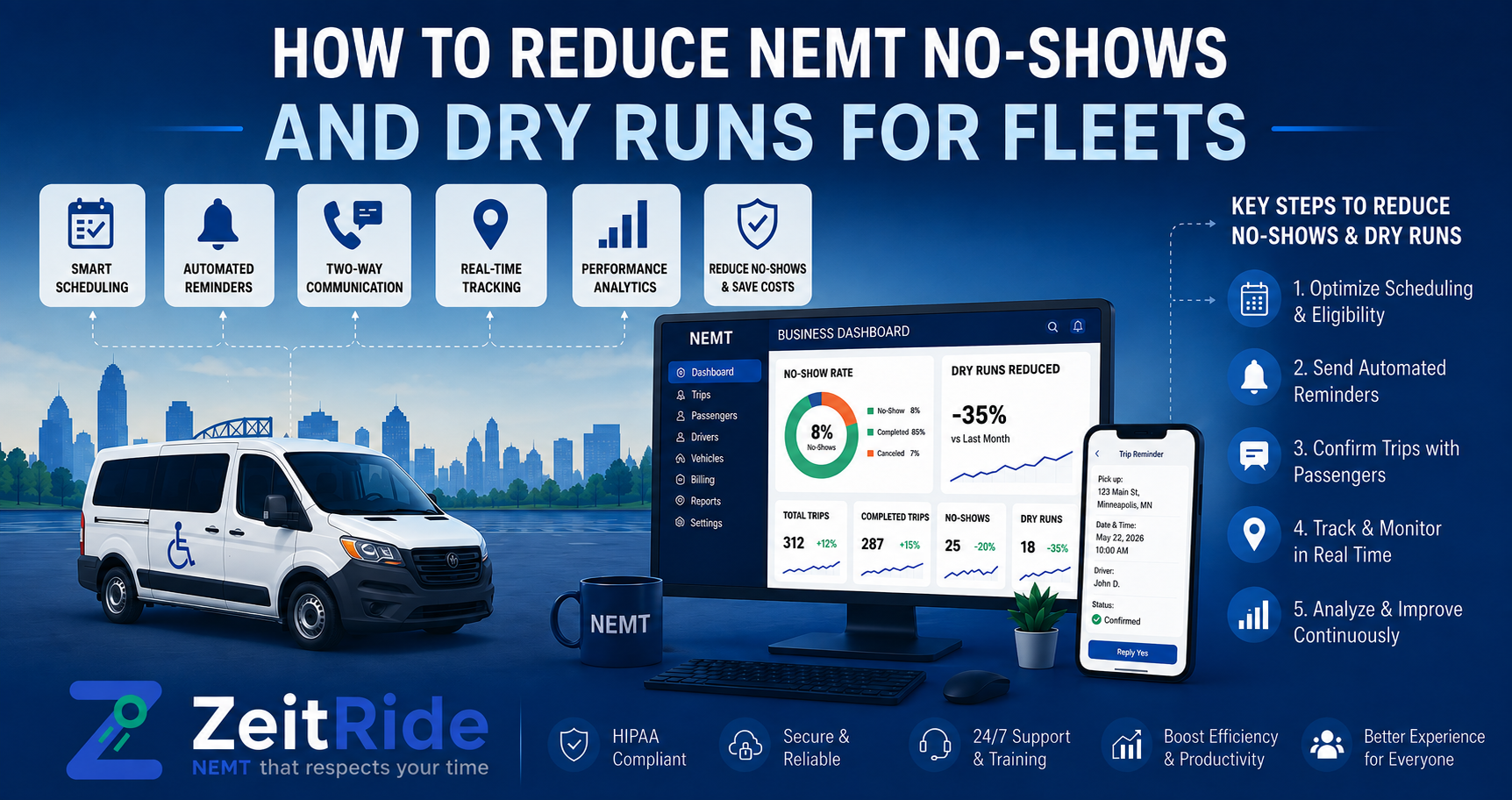
How to Reduce NEMT No-Shows and Dry Runs for Fleets
Reduce NEMT no-shows and dry runs with better confirmations, live dispatch, GPS documentation, and a consistent recovery workflow.
Quick answer
NEMT providers can reduce no-shows by verifying trip details, sending reminders, monitoring arrivals, and following a consistent driver procedure. Dispatch software also helps document the event and reassign unused vehicle capacity.
ZeitRide Team
NEMT Operations Expert
A driver reaches the pickup location, waits, calls the rider, and eventually leaves without a passenger. The vehicle has consumed fuel, the driver has lost productive time, and dispatch may now need to rebuild the route. That failed pickup may be classified as a no-show, dry run, late cancellation, or provider-caused missed trip, depending on the contract and what happened. Learning how to reduce NEMT no-shows requires more than sending one reminder. Providers need accurate trip information, clear rider communication, a consistent driver procedure, and real-time dispatch visibility.
Quick Answer: How Can NEMT Providers Reduce No-Shows?
NEMT providers can reduce no-shows by verifying trip details, sending clear reminders, making cancellations easy, monitoring driver ETAs, and following a consistent arrival procedure. When a failed pickup still occurs, dispatch software can record GPS location, timestamps, contact attempts, waiting time, and reason codes. Dispatch can then update the route and reassign the vehicle when another suitable trip is available.
- Prevent avoidable failed pickups.
- Verify what happened at the pickup.
- Recover the available vehicle capacity.
What Is an NEMT No-Show or Dry Run?
An NEMT no-show generally occurs when a vehicle reaches the scheduled pickup location but the rider is unavailable, not ready, or cannot be transported. A dry run is a dispatched trip that does not result in passenger transportation. Some brokers use "dry run" and "no-show" interchangeably, while others apply different definitions, status codes, or reimbursement rules.
Providers should follow the terminology, waiting periods, and documentation requirements established by the applicable broker, payer, contract, and state program.
NEMT No-Show vs Cancellation
Correct classification matters because each event may require a different operational and billing response. Do not classify every unsuccessful trip as a passenger no-show. Incorrect reason codes can hide internal service failures and create billing or broker disputes.
| Event | What Happened | Did the Vehicle Arrive? | Recommended Record |
|---|---|---|---|
| Rider no-show | Rider was unavailable or not ready | Usually yes | GPS, timestamps, contact attempts, waiting time, and reason code |
| Advance cancellation | Trip was canceled before vehicle arrival | Usually no | Cancellation time, source, reason, and affected trip legs |
| Late cancellation | Trip was canceled after dispatch or near arrival | Possibly | Vehicle status, cancellation time, and communication record |
| Provider-caused missed trip | Driver, vehicle, routing, or dispatch failure prevented service | No successful pickup | Root cause, delay history, and corrective action |
Why NEMT No-Shows Happen
- Incorrect pickup address, entrance, or phone number
- Rider misunderstanding the pickup window
- Appointment changes not reaching the transportation provider
- Facility delays
- Missing mobility or escort information
- Driver arriving at the wrong entrance
- Vehicle delays causing the rider to leave
- Recurring trips continuing after a treatment schedule changes
Accurate NEMT scheduling software helps prevent incomplete trip information from reaching the route. Live dispatch then helps the team respond when conditions change.
How to Prevent NEMT No-Shows
Verify the Complete Trip Record
Before routing a trip, confirm the pickup and destination addresses, building or entrance details, current rider and facility phone numbers, appointment and pickup times, mobility requirements, escort information, return-trip status, and broker authorization. A route cannot correct inaccurate source information.
Send Clear Confirmation Reminders
A useful reminder should include the pickup date, pickup window, pickup location, preparation instructions, and a simple way to confirm or cancel. Healthcare appointment research generally supports reminder systems as a way to improve attendance, although results depend on the audience and process. Providers can review this systematic review of appointment reminders.
Make Early Cancellation Easy
An early cancellation may allow dispatch to remove the stop, resequence the route, assign another trip, or reduce deadhead mileage. Riders, caregivers, and facilities should know how to cancel, which number or channel to use, what information to provide, and whether the return trip must also be canceled.
Identify Repeat Patterns
Review no-shows by rider, facility, route, weekday, time, broker, and reason code. A recurring problem at one facility may require confirmation with the nursing station, while a repeated rider issue may require caregiver confirmation.
Send Day-of Updates
Driver-assigned, en-route, delayed, and arrived notifications reduce uncertainty. Connected NEMT dispatch software also gives dispatchers and drivers access to the same current trip information.
Use a Consistent Day-of No-Show Procedure
Every driver should follow the same approved process. The waiting period should come from the applicable contract or program and should not be treated as one universal NEMT rule.
- Arrive at the verified pickup location and confirm the correct entrance.
- Record arrival through the driver app.
- Attempt contact using approved methods.
- Notify dispatch and complete the required waiting period.
- Record the rider, caregiver, or facility response.
- Select the correct status and reason code.
- Add the required notes.
- Wait for dispatch instructions before leaving when required.
NEMT No-Show Documentation Checklist
A complete no-show record should make the event understandable to someone who was not present.
- Scheduled pickup window and pickup location
- Driver and vehicle
- GPS arrival location
- Arrival and departure times
- Contact attempts and waiting time
- Rider or facility response
- Event classification and reason code
- Driver and dispatcher notes
- Effect on a connected return trip
- Route reassignment or billing status
ZeitRide's no-show and cancellation logs capture GPS location, timestamps, status classifications, and reason codes through the driver workflow. GPS can support proof of arrival, but it should not be the only evidence. The complete record should also explain contact attempts, waiting time, event classification, and dispatch response.
Providers can also review the NEMT documentation requirements checklist and official CMS NEMT provider resources.
Recover the Vehicle After a No-Show
Once the trip status is confirmed, dispatch should determine whether the vehicle can be used elsewhere. The team should check whether the driver is still needed for a return trip, whether another pickup can be moved forward, whether a nearby unassigned trip is available, and whether resequencing would create another late pickup.
Connected NEMT routing software helps dispatchers evaluate these changes without manually rebuilding the entire route. The goal is to recover useful capacity without creating another service failure.
How Dispatch Software Helps Reduce Dry Runs
Effective NEMT dispatch software for no-shows should support prevention, documentation, and recovery. Software does not replace a no-show policy. It helps the team apply that policy consistently and creates better information for future decisions.
| Operational Problem | Software-Supported Response |
|---|---|
| Rider forgets the trip | Automated confirmations and reminders |
| Driver is running late | Live GPS and dispatcher alerts |
| Rider is unsure about arrival | ETA and en-route notifications |
| Driver cannot prove arrival | GPS-supported status and timestamps |
| Event is classified incorrectly | Defined statuses and reason codes |
| Dispatch learns too late | Real-time driver updates |
| Vehicle becomes available | Route review and trip reassignment |
| Repeat problems remain hidden | Reports by rider, facility, route, and reason |
Four NEMT No-Show KPIs to Track
- No-show rate: Rider no-shows divided by scheduled pickups
- Dry-run cost: Vehicle, labor, waiting, and lost-capacity cost
- Documentation completion rate: Failed pickups with all required fields completed
- Recovered-capacity rate: Failed or canceled trips that resulted in a useful reassignment
Use consistent definitions before comparing results. ZeitRide's guide to NEMT KPIs and broker scorecard metrics explains how to connect operational measures with broker performance.
Reduce No-Shows With a Repeatable Workflow
The practical answer to how to reduce NEMT no-shows is to prevent what can be prevented, verify what happened, and respond quickly when a trip cannot be completed. A connected workflow gives dispatchers current information, gives drivers a consistent process, and gives billing teams a defensible trip record.
Bring recent no-shows, cancellations, or dry runs to a ZeitRide workflow review. See how live dispatch, the driver app, GPS documentation, route adjustment, and billing-connected records work together. See ZeitRide NEMT dispatch software.
Frequently Asked Questions
Q: What is considered a no-show in NEMT?
An NEMT no-show generally occurs when a driver reaches the correct scheduled pickup location but the rider is unavailable or cannot be transported. Exact definitions and requirements vary by broker, payer, contract, and state program.
Q: What is an NEMT dry run?
An NEMT dry run is a dispatched trip that does not result in passenger transportation. It may result from a rider no-show, late cancellation, facility issue, incorrect trip information, or another failed pickup.
Q: How can providers prevent NEMT no-shows?
Providers can prevent avoidable no-shows by verifying trip information, sending confirmation reminders, making cancellation easy, sharing day-of ETAs, monitoring delays, and identifying repeat-risk trips.
Q: What documentation should an NEMT driver collect?
Drivers should record GPS-supported arrival, timestamps, contact attempts, waiting time, rider or facility response, the correct event status, and required notes.
Q: Can an NEMT provider bill for a no-show?
A no-show may be billable under some programs, but payment depends on the payer, broker contract, state requirements, waiting period, event classification, and supporting documentation.
Rather see it than read about it?
Bring a real route, a couple of drivers, and your current process. 15 minutes, zero pitch.